Text overlays, captions, or watermarks are also common video content that might not align with a project’s ultimate appearance. Hand-weeding them might be time-consuming and might disrupt the visual stream of your footage. With the introduction of modern AI-driven editing platform, this process has become easier, as an editor can conceal or replace text without altering the entire scene. The use of masks and smart overlay options ensures a professional, smooth appearance that maintains continuity. Solutions such as Pippit offer a collection of refined masking and overlay features that can be automated to fine-tune without compromising the quality of high-resolution video. With the help of AI, a video can be cleaned effectively, unwanted text replaced with something more creative, or a natural background preserved, making the viewing experience more enjoyable.
Understanding Masking Techniques in Video Editing
In video editing, masking is the act of isolating certain parts of a frame to conceal or alter them without altering the rest of the frame. To creatively hide text, editors tend to use shapes, overlays, or graphical effects on text, ensuring the scene remains balanced. It is important to blend properly so that the mask appears as a natural extension of the footage and not create abrupt edges that draw the viewer’s attention. Motion tracking may also be used in masking, where the overlay is maintained in sync with moving objects in dynamic shots. With mastery of these methods, the editors will be able to remove text from video while retaining the original content’s aesthetics, adapting the images to the needs of marketing, social media, or business.
Why AI Masking Improves Text Removal
AI-based masking is a game-changer in text removal because it detects and merges images that previously had to be done manually. Smart platforms can detect text overlays, isolate the regions, and use soft-edge blending to blend the mask with the rest of the image. This automation eliminates rough edits and maintains video quality, saving a lot of time on editing. Moving objects can also be handled by AI, allowing overlays to be tracked accurately across frames. There is less repetition in the editing process, allowing editors to concentrate on creative improvements rather than technical cleanup. Platforms such as Pippit combine these AI features, offering trusted and accurate masking for various content, including marketing campaigns and personal video projects.
Creative Overlay Options for Covering Removed Text
Once the unwanted text is removed, overlays should be added to improve the scene and help preserve continuity. Ornaments, graphics, or other iconic objects may cover previously textual space. Gradient backgrounds or solid color blocks can smoothly integrate with the surrounding footage, and subtle textures make the mask feel like part of it. Semi-transparent overlays can also be used by editors to smooth edges and preserve a natural flow. Selecting overlays that harmonize with the original colors and style makes the scene aesthetically coherent. Creative flexibility, Creative work, Pippit AI platforms enable the ability to experiment with various types of overlays easily and maintain high-resolution output.
Steps to Remove Text From Video and Mask Overlays Seamlessly With AI
Step 1: Access the editor and import your video content
- To remove text from video AI for free, register for Pippit using Google, TikTok, or Facebook login.
- Once inside the dashboard, click “Video Generator” in the left navigation column.
- In the popular tools section, select “Video editor” to quickly open the editing environment.
- Drag and drop your footage into the workspace to start editing overlay text immediately.
- Another method involves selecting “Click to Upload” and importing the file from your device.
Step 2: Mask overlays and eliminate visible text elements
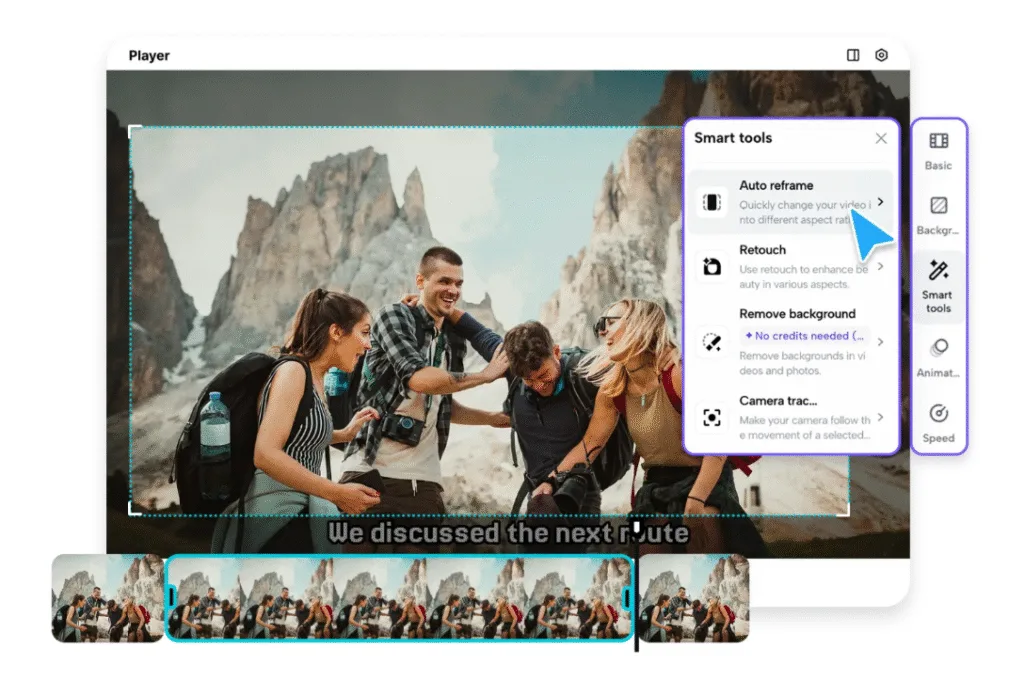
- In the editing interface, open “Smart tools” and select “Auto reframe” from the options.
- Adjust the “Aspect ratio” based on your required output platform or visual format.
- Select “Manual crop” or “Auto reframe”, then click “Apply” to adjust framing precisely.
- The adjustment helps remove watermark, captions, or visible typeface across masked overlay sections.
- Then choose “Remove background” and activate “Auto removal” to erase regions containing text.
- Open “Background” settings afterward and insert solid color, stock video, or supporting imagery.
Step 3: Export the masked video for immediate distribution
- After finalizing the edits, click “Export” located at the editing interface’s upper-right corner.
- Select “Publish” to share online instantly, or choose “Download” to save locally.
- Modify export settings, including format, frame rate, resolution, watermark, and total output quality.
- Click “Export” again to download the masked video file or distribute it across platforms.
Tips for Blending Mask Overlays Naturally
- Overlay colors should be matched with the elements of the surrounding scene to integrate well.
- Apply feathering to smooth edges and eliminate harsh lines.
- Use a light motion tracking to keep masks in line with moving objects.
- Control the transparency to achieve the required visibility and a natural look.
- Tests on several frames to provide a transition between frames.
Key Benefits of AI Masking in Video Editing
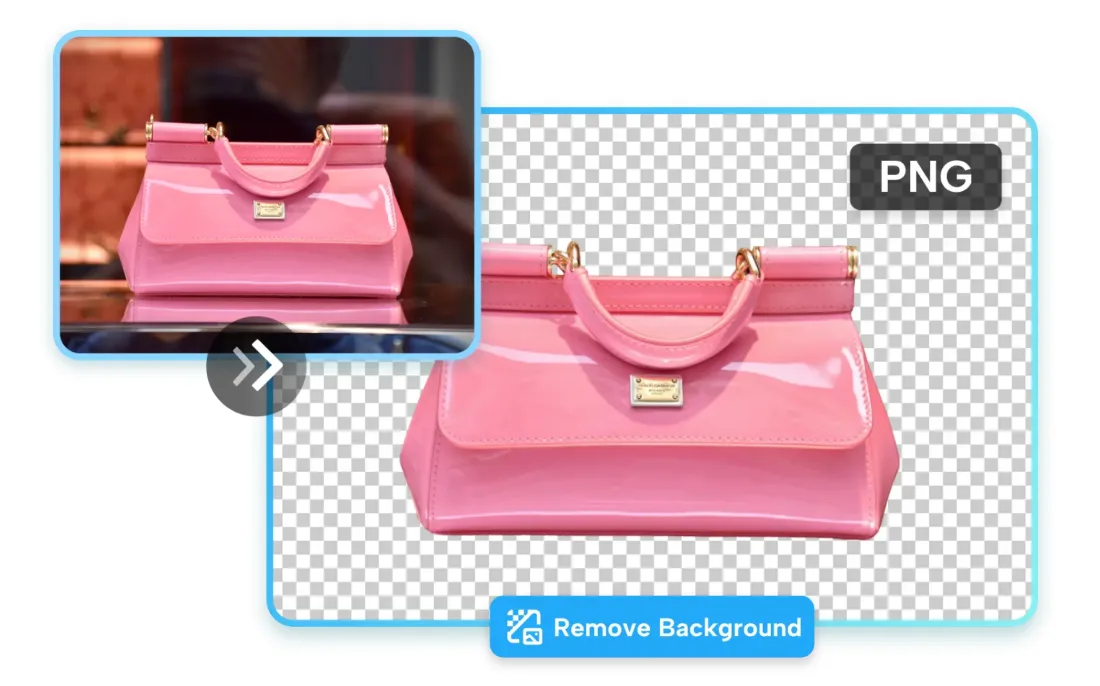
AI masking is smoothly integrated to automatically blend the overlay with the original content, removing traces of editing. The work process is much more effective, as precise positioning of the mask minimizes hand use and saves time on multifaceted projects. Artistic flexibility is enhanced through overlays that allow designers to add or remove text, changing the visual character without affecting scene consistency. When natural movement and aesthetics are desired, even in the removal of unwanted parts, masks ensure the continuity of the background. Moreover, AI maintains high-resolution output, making videos clear, detailed, and professional-ready. Modern tools such as Pippit also feature a transparent background maker, allowing editors to replace the background creatively without edges looking jagged or unnatural.
Conclusion
Mask overlays are very effective for removing text from videos without altering the original scene. AI platforms such as Pippit simplify the process by automating masking, blending edges, and maintaining high video quality. When used with artistic overlay features, editors can turn cluttered or even old-fashioned content into clean, professional video that can be used to market, post on social media, or present professionally. With the help of AI, video editing will be faster, more accurate, and more engaging to watch, so that the end products will be seamless and effective.