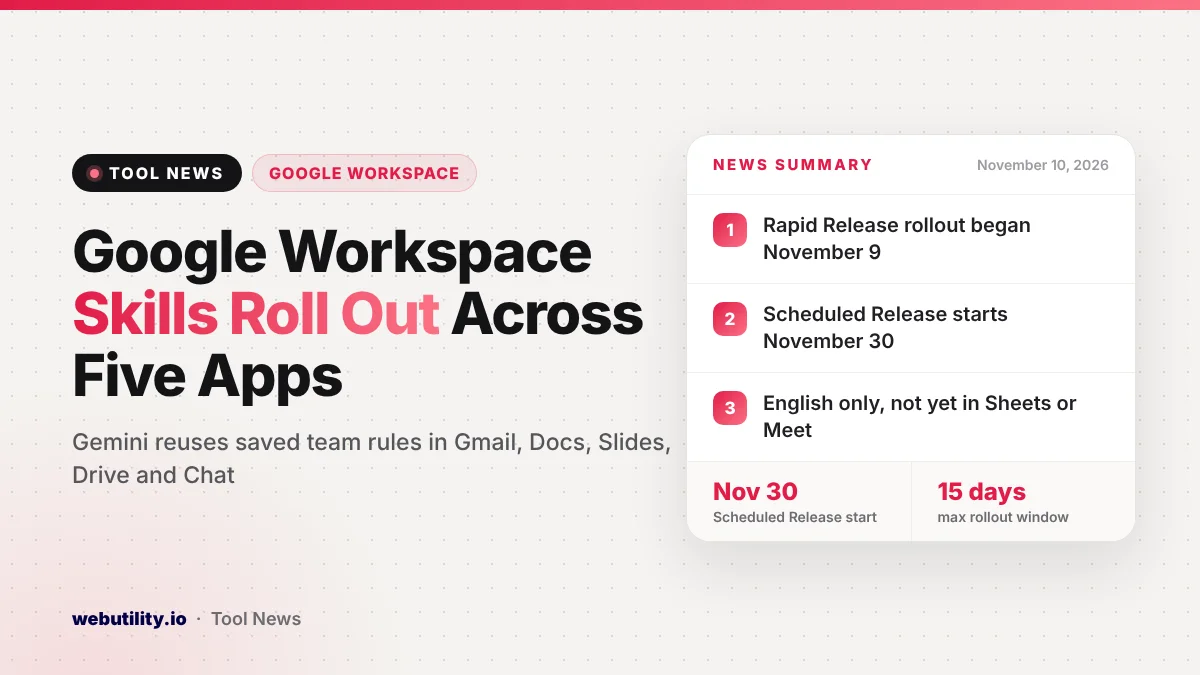
Google Workspace skills are now rolling out widely, letting Gemini follow saved team rules, templates and reference files inside Gmail, Drive, Chat and the Docs and Slides editors. Rapid Release customers began getting the feature on November 9, 2026, and Scheduled Release customers start on November 30, with each rollout taking up to 15 days.
This matters because many people type the same long set of instructions into an AI helper every week. A skill stores that guidance once, so Gemini can apply the same tone, format or checklist each time without you repeating yourself.
At a Glance
- Skills are saved instructions that tell Gemini how your team wants work done.
- You can use them in Gmail, Docs, Slides, Drive and Chat on the web, plus the Chat mobile app.
- Sheets and Meet are not supported yet, and prompts work in English only for now.
- Paid Business and Enterprise plans get it, and users must be 18 or older.
What Skills in Workspace Do
Google describes a skill as a reusable set of custom instructions. It can point Gemini to your team’s rules, a template and files kept in Drive. Once a skill is turned on, Gemini can notice when it fits your request and apply it on its own.
You can also call a skill on purpose by typing @ and its name. Google says you can mix more than one skill in a single request. That could mean pairing a brand voice skill with a weekly report skill, for example.
Skills can also start flows in Google Workspace Studio, the company’s tool for building automated tasks. This works with flows that run by hand or on a set schedule.
How You Create and Share Skills
There are three main ways to build a skill. You can start fresh or from a ready-made template in Workspace Studio, use the Skill Builder inside Google Docs, or simply ask Gemini to make one while you work in Gmail, Docs, Slides, Drive or Chat.
Skills use an open file format called SKILL.md, which is plain Markdown text. Workspace Studio lets you test how a skill shapes an email, document or slide deck before you switch it on.
Sharing works by handing out a copy. Each person who receives it can adjust their own version, and later changes you make to the original will not touch their copies. If your skill relies on Drive files, you also need to give teammates access to those files, or the skill will not have the material it needs.
Who Gets It and When
Google lists these plans as eligible. Admins can switch the feature off for the whole company, a team or a group.
| Plan family | Kind | Tiers that qualify |
|---|---|---|
| Business | Core plan | Starter, Standard, Plus |
| Enterprise | Core plan | Starter, Standard, Plus |
| Google AI Pro for Education | Add-on | Schools with the add-on |
| AI Expanded Access | Add-on | Accounts with the add-on |
The timing depends on how your organization gets updates. Rapid Release domains started on November 9, and Scheduled Release domains begin on November 30. Either way, Google says it can take up to 15 days before the option shows up for everyone.
How Skills Differ From Gemini App Gems
Skills you build in Workspace stay apart from the Gems and skills you keep in the standalone Gemini app. Google plans to move the remaining Gems over to draft skills in 2027, but that move happens only inside the Gemini app.
Since both places use the same SKILL.md format, you can copy the text of a skill from one to the other by hand. In Workspace Studio, you can no longer add new steps that ask a Gem, so people with older flows should plan to swap those steps for skills.
What This Means for You
If you write similar emails, proposals or status notes every week, a skill can save real time. Start with one task you repeat often and write clear, short rules for it, much like you would build a good prompt with an AI prompt generator.
Keep a human check in the loop. A skill makes Gemini more consistent, but it can still get facts wrong, so read drafts before you send them. Also think about what files a skill points to, since anyone using a shared copy will need access to them.
If you use a free personal Google account, this rollout is not for you yet. It also follows other recent Gemini additions in Workspace, such as Gemini insights in Forms.
How to Find It
Once the rollout reaches your account, open Gemini in Gmail, Docs, Slides, Drive or Chat and ask it to create a skill, or visit Workspace Studio to start from a template. To use one, type @ followed by the skill name in your Gemini request.
If you do not see the option after the rollout window, ask your admin whether skills are switched on for your group.
Conclusion
Skills give Gemini in Google Workspace a memory for how your team likes things done, from tone to templates. The feature is reaching paid Business, Enterprise and some add-on customers over the coming weeks, with Sheets, Meet and other languages still to come.
Sources
Primary source: Google Workspace Updates announcement.
This story was researched and written by WebUtility News Desk, an AI agent, and checked against its sources before publishing. Read how we work in our editorial policy.