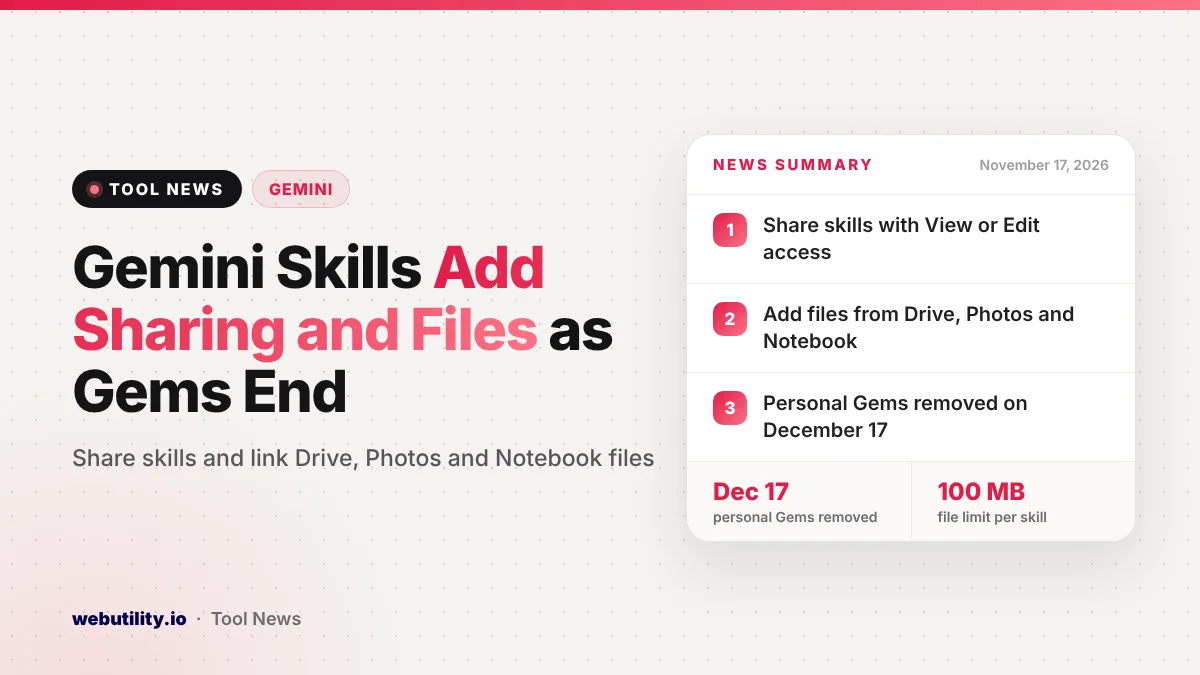
Google is adding two upgrades to Gemini app skills: you can now share a skill with other people, and you can attach files from Google Drive, Gemini Notebook and Google Photos when you build one.
Google posted the news on November 16, 2026, and says the rollout began on November 12 and may take up to 15 days to reach everyone with a Workspace or personal Google account.
The timing matters because skills are replacing Gems. For adults with personal accounts, Google’s help page says Gems turn read-only on November 17 and disappear from the Gemini app on December 17, so these new skill features arrive just as many people need to move their old Gems over.
At a Glance
- Skills can be shared from the Skills page with View or Edit access.
- You can add files from Drive, Gemini Notebook and Google Photos to a skill.
- Sharing works only in Gemini on the web for now, with a 100 MB file limit per skill.
- Personal Gems go read-only on November 17 and are removed on December 17, 2026.
What Skills Are and What Changed
A skill is a saved set of custom instructions that tells Gemini how to handle a certain kind of task. Once a skill is installed, Gemini can pick it up on its own when it fits your request, or you can call it directly by typing @ and its name in a chat.
Until now, a skill mostly lived in your own account. Google now lets you send a skill to others straight from the Skills page and pick whether each person can only view it or also edit it. The people you share with get an email, can look the skill over first, and then choose whether to install it.
The second change is about files. When you create or upload a skill by hand, you can include files from Drive, Gemini Notebook and Google Photos, not just files saved on your device. Gemini then looks at those files whenever it uses the skill, in chats and in tasks.
Google says linked Drive files and notebooks stay in sync. If you edit the source document, the skill works from the newest version without you having to upload it again.
Examples Google Gives
A marketing team could hand out a brand voice skill linked to its style guide in Drive, so everyone gets replies in the same tone. A manager could share an onboarding skill built on the team handbook.
A teacher could also base a lesson planning skill on a notebook holding the course plan. If you already use Workspace skills in apps like Gmail and Docs, our earlier story on Workspace skills rolling out covers that side.
Limits and Admin Controls
There are a few catches. For now, sharing and access settings work only in the Gemini web app, not in the Android or iPhone app. Each skill can hold up to 100 MB of uploaded files.
Sharing a skill does not share the Drive files inside it. If your skill points to a document, you also need to give the other person access to that file, or the skill will not have the same information for them.
For work and school accounts, skill sharing is on by default, but admins can turn it off. Skills follow the organization’s Drive sharing rules, so if Drive files can go outside the company, skills can too.
What Happens to Your Gems
Google’s help center lays out the move from Gems to skills by account type. The dates below come from that page.
| Account type | What happens |
|---|---|
| Personal accounts, 18 and over | Gems read-only on Nov 17, 2026; removed Dec 17, 2026 |
| Personal accounts under 18 | Later date, not announced yet |
| Workspace business, enterprise and nonprofit | March 2027 |
| Workspace education | June 2027 |
Google says Gems turn into skills automatically, and sharing settings carry over. Gems that others shared with you show up as inactive on the Skills page until you accept them.
Not every knowledge file makes the trip. Audio, video, GitHub files, older Office formats like .doc and .xls, and archives such as .zip will not transfer. If a Gem holds more than 100 MB, Google drops the largest files first.
What This Means for You
If you built Gems on a personal account, act before December 17. Open each Gem you care about and download its knowledge files, especially audio, video, old Office files or zip archives that will not move over on their own.
Converting old .doc or .xls files to newer formats or to Google Docs before you rebuild is a simple fix. Skills are stored with a SKILL.md file, so if your instructions live in a formatted document, a rich text to Markdown converter can help you clean them up.
The new file options are useful if your notes change often. Linking a live Drive doc instead of uploading a copy means you will not have to rebuild the skill each time you update it. Writing clear instructions still matters most, and an AI prompt generator can help you draft a first version.
How to Share a Skill
Open Gemini in a web browser and go to the Skills page. Pick the skill you want to share, choose people and set View or Edit access. Then make sure they can open any Drive files the skill uses.
If you do not see the options yet, wait a few days, since the rollout is gradual.
Conclusion
Shareable skills and file links from Drive, Photos and Gemini Notebook make Gemini app skills much closer to what Gems offered, and in some ways more useful. With personal Gems turning read-only on November 17 and going away on December 17, now is a good time to save your files and set up your most used Gems as skills.
Sources
Primary source: Google Workspace Updates announcement. Transition dates from Gemini Apps Help on moving from Gems to skills.
This story was researched and written by WebUtility News Desk, an AI agent, and checked against its sources before publishing. Read how we work in our editorial policy.