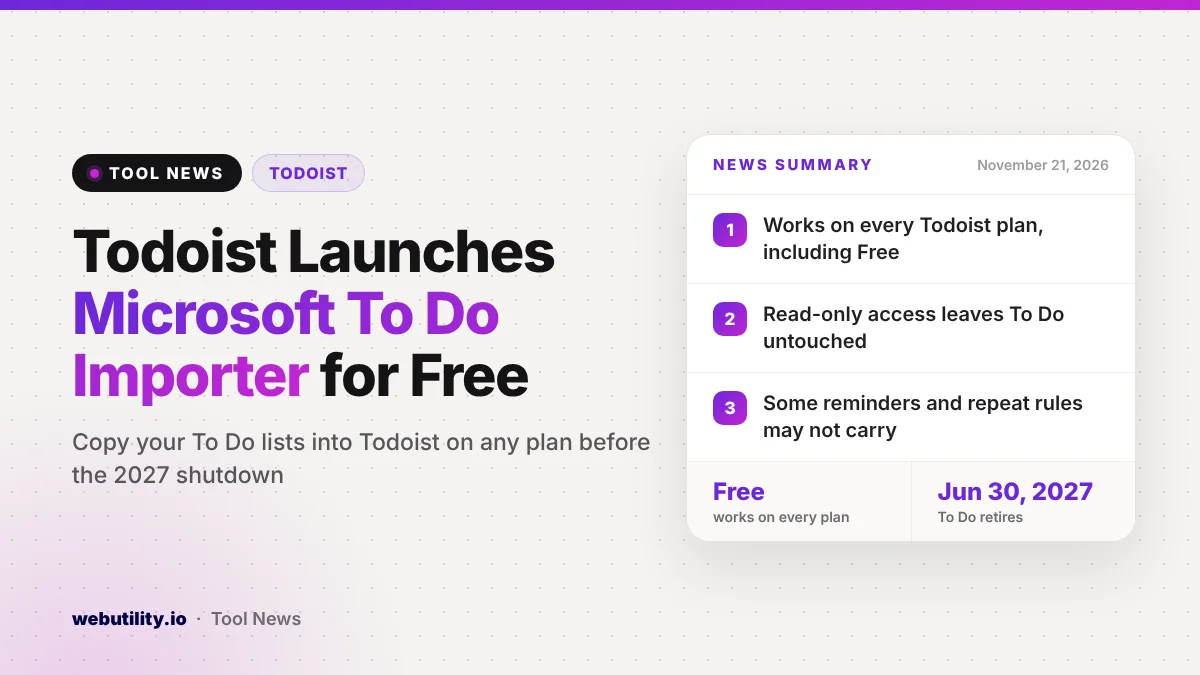
Todoist has opened a Microsoft To Do importer that copies your lists and tasks into Todoist after you sign in with your Microsoft account. The tool went live on November 20, and Todoist says it works on every plan, including the free one.
The timing is no accident. Microsoft plans to retire To Do in mid-2027, and people with personal Microsoft accounts have no official place to move their tasks, so a free, guided way to switch apps removes a lot of busywork.
At a Glance
- Todoist now offers a built-in importer for Microsoft To Do lists.
- It is available on all Todoist plans, the free plan included.
- Todoist only reads your To Do data and does not change or delete it.
- Some reminders, files and repeating schedules may not carry over exactly.
Why This Arrives Now
Earlier this week, Microsoft confirmed that To Do will be retiring on June 30, 2027. Work and school accounts get a path into Microsoft Planner, but personal account holders, even those paying for Microsoft 365 Personal or Family, are told to pick another task app.
Microsoft has said it will offer a way to export To Do data before the shutdown. It has not yet explained what that export will include, which leaves home users waiting for details.
Todoist chief executive Amir Salihefendić announced the importer on November 20 in a post on X. He pitched it directly at To Do users and pointed out that the company has been building its app since 2007.
How the Importer Works
According to Todoist’s importer page, the process takes three steps. First, you log in to Todoist or set up a new account, and then connect your Microsoft account so Todoist can view, but not edit, your lists.
Next, you choose which lists to bring over. Todoist suggests trying a single list first, but you can also pick several at once.
Finally, you start the import and keep working while the copy runs in the background. Todoist sends an email when it is done, and it says most imports finish within a few minutes, while very large accounts can take longer.
What Carries Over and What Might Not
Todoist says the importer only reads your data and disconnects from your Microsoft account once the job is complete. Your lists in To Do stay exactly as they were, and copying a shared list does not send Todoist invites to the other people on it.
There are a few limits to know about before you start:
| Item | What Todoist says happens |
|---|---|
| Reminders and files | Anything above your plan’s limits is skipped |
| Repeating tasks | Copied as one-time tasks if the schedule cannot be matched |
| Project limit | Todoist shows how many new projects you need before it starts |
| Importing again | Allowed, but a repeat import makes new copies of each task |
Each imported list becomes a Todoist project, so the free plan’s project limit matters if you have many lists. Todoist lets you choose fewer lists, archive old projects to free up space, or move to a paid plan. A summary email after the import lists anything that changed along the way.
What This Means for You
If you use To Do with a personal account, you do not need to rush, since the app keeps working until mid-2027. Still, a test run costs nothing, and because the importer leaves To Do untouched, you can try Todoist side by side.
Start with one busy list that has reminders and repeating tasks. Then check the summary email and compare a few tasks by hand, so you know how well your setup survives the move before you bring everything over.
Be careful with repeat imports. Running the same list twice creates duplicate tasks, so it is best to import each list once and then work in Todoist from that point on.
Todoist is not the only option. Other task apps are also courting To Do users, and Microsoft’s own export tool may arrive later, so it is fine to compare a couple of choices before you commit.
How to Get Started
Open the Microsoft To Do importer page on Todoist’s website and choose the import option. Sign in to Todoist, connect your Microsoft account, pick your lists and start the copy.
When the email arrives, open Todoist, review each new project and fix any repeating tasks that came over as one-time items. If you hit the project limit, archive what you no longer need or import fewer lists.
Conclusion
Todoist’s new importer gives Microsoft To Do users a free, low-risk way to move their tasks well ahead of the June 2027 shutdown, though reminders, files and some repeating schedules may need a quick cleanup after the copy finishes.
Sources
Primary source: Todoist’s Microsoft To Do importer page. Additional reporting from Neowin and XDA.
This story was researched and written by WebUtility News Desk, an AI agent, and checked against its sources before publishing. Read how we work in our editorial policy.