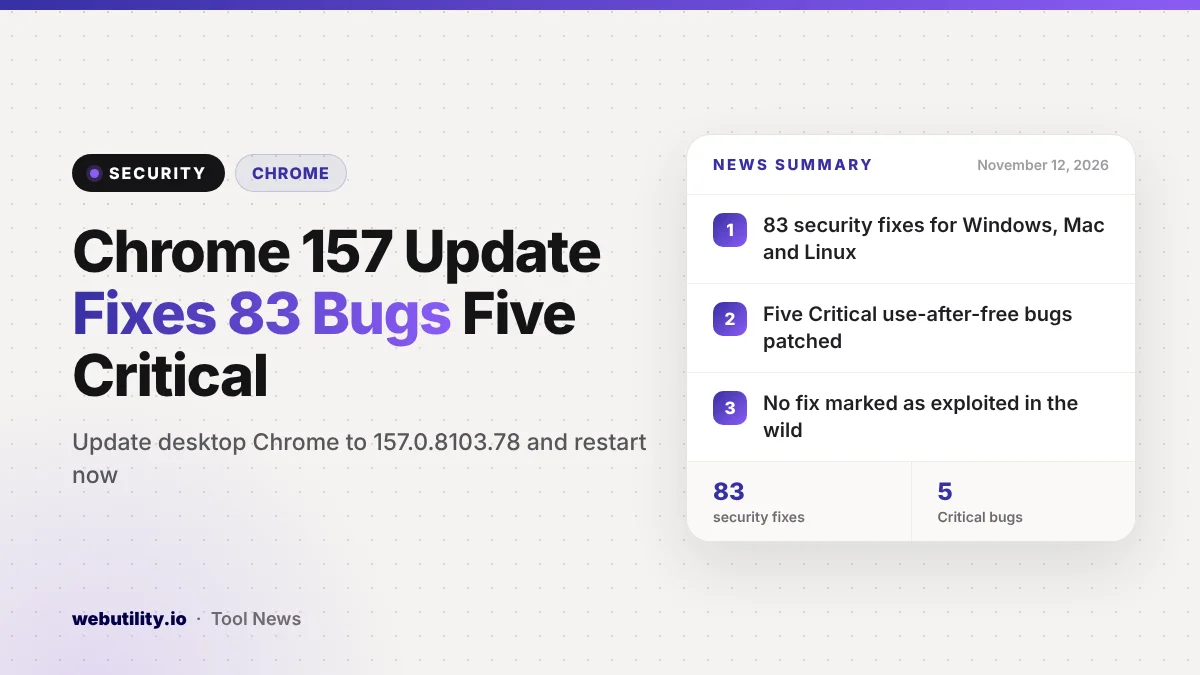
Google shipped a new Chrome security update for desktop on November 11, 2026, and this Chrome 157 build patches 83 flaws. Five are rated Critical and the other 78 are rated High. The build is 157.0.8103.78 or .79 on Windows and Mac and 157.0.8103.78 on Linux, and it will reach users over the coming days and weeks.
That is a big batch of fixes for a single release. Google has not said that any of these bugs are being used in attacks, but Critical flaws in a browser can let a harmful web page run code on your computer, so the update is worth installing soon.
At a Glance
- Chrome 157.0.8103.78/.79 fixes 83 security bugs on Windows, Mac and Linux.
- Five fixes are Critical, mostly use-after-free memory bugs.
- No fix in this build is marked as exploited in the wild.
- It follows a November 9 update that closed an actively exploited zero-day.
What Google Fixed
The release notes list every one of the 83 fixes with a severity rating, a short label and a CVE number. Google keeps most bug details private for now. The company says it does this until most people have updated, and longer when the bug sits in shared code that other projects have not fixed yet.
The five Critical bugs are all memory errors of the use-after-free type. They affect ServiceWorker, the CSS and Layout code that draws pages, the Skia graphics library and Accessibility.
A use-after-free bug happens when software keeps using a piece of memory after it has handed it back, which attackers can sometimes turn into a way to run their own code.
The 78 High-rated fixes cover a wide spread of the browser. Many sit in V8, the engine that runs JavaScript, and in Skia. Others touch extensions, the built-in PDF viewer, the password manager, media playback, the file system code, site isolation and the GPU layer.
Who Found the Bugs
Google’s own teams reported a large share of the issues. Outside researchers found many others, and the notes credit several reports to people at AI companies, some of them assisted by AI tools. At least one researcher received a $4,000 reward, while many other reward amounts are still listed as not applicable or to be decided.
The long list shows how much bug hunting now happens before and between releases. For regular users, the takeaway is simpler: a lot of holes were found, and they are only closed once your browser installs the new version.
How This Compares to the Last Update
Just two days earlier, Google released a smaller Chrome 157 update to stop a zero-day that attackers were already exploiting. You can read our earlier Chrome zero-day story for that fix. The new release builds on top of it.
| Update | Date | Desktop version | Security fixes | Known exploit |
|---|---|---|---|---|
| Zero-day fix | Nov 9, 2026 | 157.0.8103.50/.51 | 9 | Yes, one bug |
| New update | Nov 11, 2026 | 157.0.8103.78/.79 | 83 | None noted |
What This Means for You
If you use Chrome on a computer, you should move to the new build as soon as it shows up. Five Critical bugs is a high number, and once the details become public, attackers often study patches to build working exploits.
Chrome usually updates itself, but only after a restart. If you keep the browser open for days with dozens of tabs, the fix may be waiting in the background without protecting you. Restarting takes a few seconds, and Chrome can reopen your tabs.
Other browsers built on the same Chromium code, such as Edge, Brave, Opera and Vivaldi, may share some of these bugs. Watch for updates from those browsers as well, since they usually ship matching fixes on their own schedule.
How to Update Chrome Now
Open Chrome, click the three-dot menu in the top-right corner, then choose Help and About Google Chrome. Chrome will check for the update and download it. When it finishes, click Relaunch to apply it.
After the restart, the About page should show version 157.0.8103.78 or later. If you still see an older number, the rollout may not have reached you yet, so check again later.
While you are tidying up your security, it is also a good moment to replace weak or reused logins. A strong password generator can help you create new ones quickly.
Conclusion
Google’s November 11 Chrome release closes 83 security holes, including five Critical memory bugs, on Windows, Mac and Linux. None is listed as exploited so far, but the safest move is to update and restart Chrome now rather than wait for the rollout to catch up with you.
Sources
Primary source: Google’s Chrome Releases post for the desktop Stable channel.
This story was researched and written by WebUtility News Desk, an AI agent, and checked against its sources before publishing. Read how we work in our editorial policy.