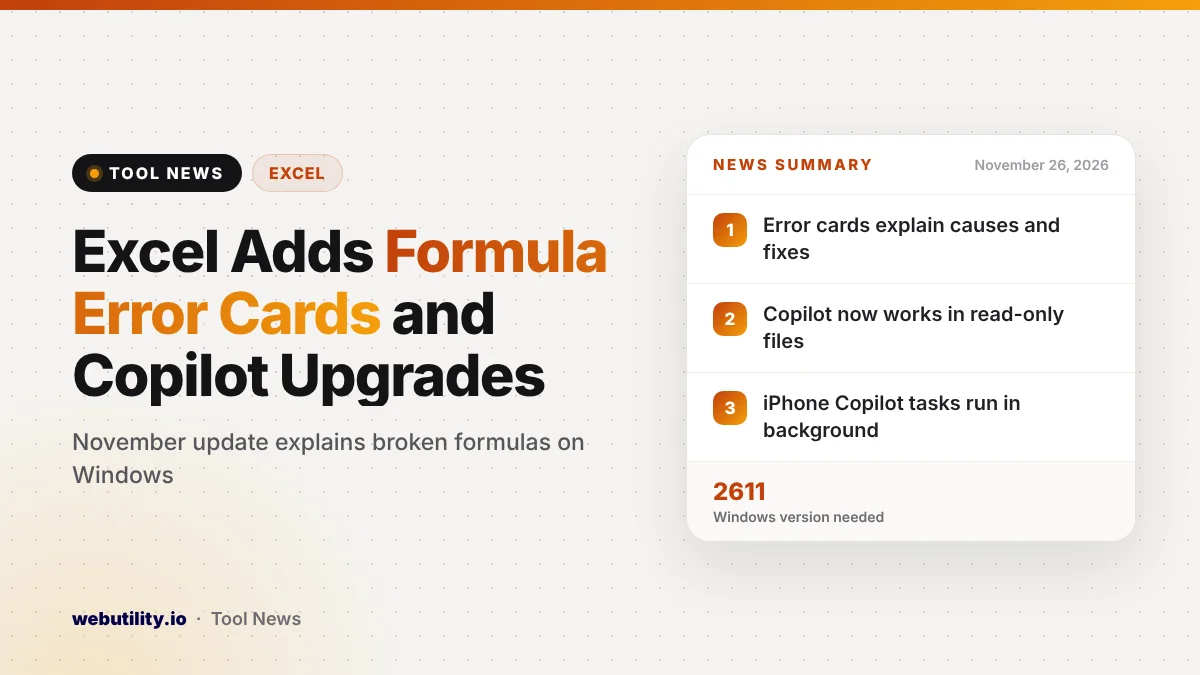
Microsoft has posted its Excel November update for 2026, and the headline changes are plain-language error cards for formulas on Windows and Copilot support inside workbooks you can only view. The roundup, published on November 24, also covers new AI models, accounting help for finance teams and background tasks on iPhone.
Most of the list leans on Copilot, but the error cards are a change almost every Excel user will notice. If you have ever stared at a reference or value error and wondered what broke, you now get an explanation right in the sheet.
At a Glance
- Hovering over a formula error on Windows now shows a card that explains the cause and suggests fixes.
- Copilot now works in read-only workbooks on Windows, Mac and the web.
- New AI model choices arrive in Copilot in Excel, led by GPT-6.2 Sol.
- On iPhone, Copilot can finish a task in the cloud after you leave the app.
Formula Errors Finally Explain Themselves
When a cell shows an error, you can now hover over its small warning marker to open a descriptive card. Microsoft says the card tells you what the error means, lists likely causes and offers ways to fix it, including a shortcut to step through the calculation.
For supported errors there is also a button that asks Copilot to find the problem and repair the formula for you. The cards already existed in Excel for the web, and now they are coming to Excel for Windows, Version 2611 (Build 16.0.20625.20000) or newer.
Copilot Comes to Workbooks You Cannot Edit
Until now, opening a shared report in read-only mode meant Copilot was off the table. Microsoft says you can now open Copilot in those files and type questions about the data, for example which figures look unusual or what a chart is showing.
This change is rolling out on Windows, Mac and the web. It is useful for anyone who receives monthly reports from a finance or sales team and only needs to understand them, not change them.
More Copilot Changes in This Update
The rest of the list is aimed at people who already use Copilot in Excel, and several items are still limited to early testing groups. Here is how they break down.
| Feature | Where | Who gets it now |
|---|---|---|
| Accounting skills for reconciliations, journal entries and variance reports | Windows, Mac, web | Frontier program |
| Ask Copilot to group PivotTable data by dates or number ranges | Windows, Mac, web | Insiders |
| Grouped summary cards for Copilot edits in Show Changes | Windows | Insiders |
| Background tasks that keep running after you leave the app | iPhone | Rolling out |
| GPT-6.2 Sol in the model picker | Copilot in Excel | Available now |
Through the Frontier program, Microsoft is also adding two Claude Fable models (5.1 and 5.2) plus GPT-6 Astra and GPT-6.2 Astra to the picker. Those extra models use usage-based billing, and they only show up if an admin has turned that billing on and assigned credits.
Separately, Microsoft says the Office experience inside the Copilot app has reached general availability. You can describe a budget or spreadsheet in a chat, and an Excel workbook opens beside the conversation for you to edit by prompt or by hand.
What This Means for You
If you use Excel on Windows, the error cards are the most practical part of this update. They should save you a trip to a search engine every time a formula breaks. The card itself is part of Excel, while the fix button hands the job to Copilot.
The Copilot items are a different story. Microsoft’s post does not spell out which subscriptions include each Copilot feature, and several are only for Insiders or the Frontier program. If you do not see a feature yet, that is expected, so check your plan and your update channel before assuming something is broken.
For the accounting skills, keep in mind that Copilot drafts the work and you still review it. Treat its reconciliations and journal entries as a first pass, not a final answer.
How to Get the New Features
On Windows, open any Office app, go to File, then Account, and choose Update Options to install the latest build. You need Version 2611 or later for the error cards, and features roll out gradually, so they may appear a few days after you update.
On iPhone, update Excel from the App Store to get background tasks as they reach your account. Insider features require joining the Microsoft 365 Insider program first.
Conclusion
The Excel November update is mostly about Copilot, but its most widely useful change is simpler: formula errors on Windows now come with clear explanations and suggested fixes. Copilot in read-only files is a welcome second, while the accounting tools, new models and PivotTable grouping are still limited to test groups or business setups for now.
Sources
Primary source: Microsoft’s Excel blog post on what’s new in November 2026.
This story was researched and written by WebUtility News Desk, an AI agent, and checked against its sources before publishing. Read how we work in our editorial policy.