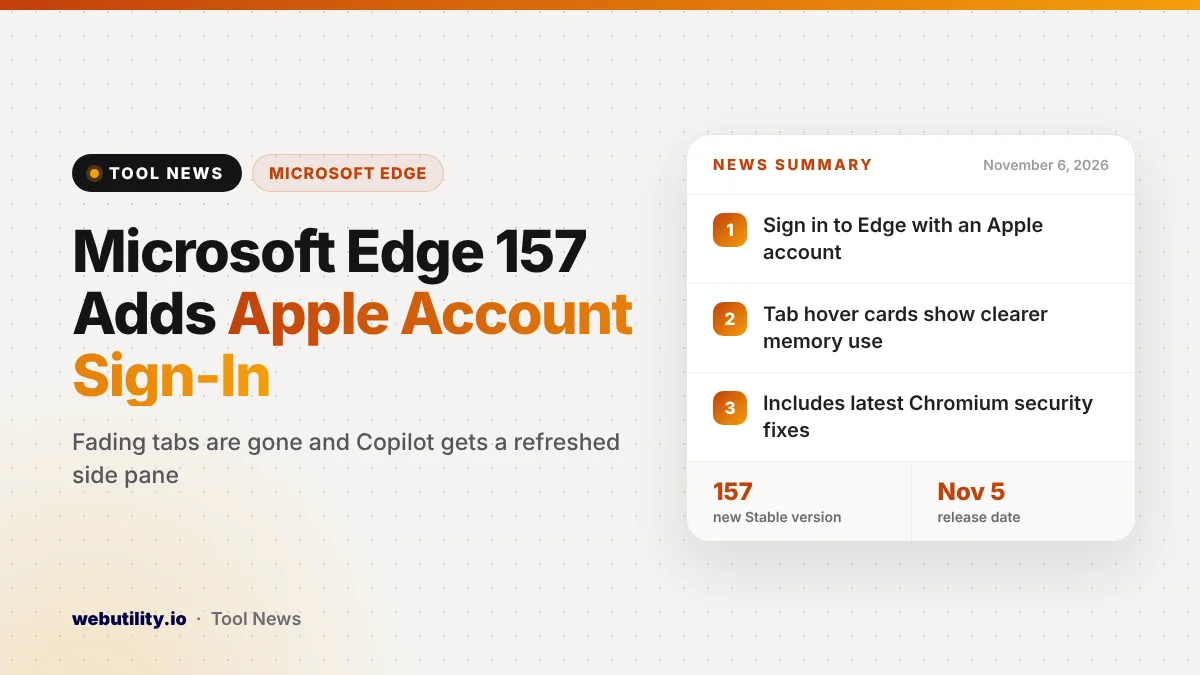
Microsoft Edge 157 reached the Stable channel on November 5, 2026, and it lets people sign in to the browser with an Apple account for the first time. The release also removes the fading inactive tabs option, refreshes the Copilot side pane and folds in the latest Chromium security fixes.
The Apple sign-in option matters for anyone who uses an iPhone or Mac alongside a Windows PC and never wanted a Microsoft account just for the browser. The rest of the update is a mix of speed work, small tab changes and an early warning for web developers about an older page technology going away.
At a Glance
- Edge 157 (build 157.0.4341.42) shipped to Stable on November 5.
- You can now sign in to Edge with an Apple account, not only a Microsoft one.
- The Fade inactive tabs setting is gone, and tab hover cards show clearer memory details.
- The build carries the latest Chromium security fixes, so updating is worth doing now.
What Changed in Edge 157
The headline change is account choice. According to Microsoft’s release notes, the profile menu and the Edge sign-in screen now offer an Apple account as an option next to a Microsoft account. Companies that manage Edge can turn this off with a policy, so work PCs may not show it.
Microsoft also removed the fading tabs feature. Earlier versions could dim tabs you had not used for a while, but that toggle has disappeared from the performance settings page and tabs no longer fade at all.
In its place, the preview card you see when hovering over a tab now explains memory more plainly. It shows how much memory a tab is using and how much was saved when an idle tab was put to sleep.
You also get separate settings for the preview image and for the memory figures, so you can keep one and hide the other.
Copilot and New Tab Updates
Edge 157 refreshes the Copilot icon at every place it appears in the browser and simplifies the Copilot side pane. Microsoft says the update adds Copilot Voice and Vision to that pane, while privacy and business controls stay the same.
The release notes also mention an upgraded Copilot new tab page, where one search box handles searching, chatting and browsing with suggested actions. This lines up with the redesigned Edge new tab that Microsoft started rolling out this week.
Faster Launches and an XSLT Phase-Out
On recent Windows 11 releases (25H2, 26H1 and 26H2), Edge now uses a feature Microsoft calls Accelerated App Launch. When Edge is already running in the background, clicking a link or the taskbar icon should open a window with less delay, especially on a busy PC.
Microsoft is also starting to retire built-in support for XSLT, an older way of turning XML files into web pages. It is switched off by default in test channels with version 157 and is planned to be off in Stable with Edge 159. Most people will never notice, but some older internal business sites may need fixes.
On the sign-in side, Edge 157 finishes moving Windows profiles to a newer sign-in system. Microsoft says nearly everyone has already switched without noticing, though a small number of users may be asked to sign in to Edge again after the update.
What This Means for You
If you live mostly in Apple’s world but browse on a Windows laptop, Edge is now easier to try without creating a new account. Keep in mind that signing in with an Apple account is a new path, so check that your favorites and passwords sync the way you expect before you rely on it.
If you liked faded tabs as a visual cue, that option is not coming back in this version. The new hover card details are the main way to see which tabs are eating memory. Tab-heavy users who want stronger tab tools may also look at browsers such as Vivaldi’s latest release.
Because this build includes Chromium security fixes, the most useful step for everyone is simply to update. Microsoft had not yet listed the individual CVE numbers when the release went out.
How to Get Edge 157
Edge usually updates itself in the background. To update right away, open the menu, go to Settings, choose About Microsoft Edge and let the browser download the new version, then restart it. The About page should show version 157.0.4341.42 or newer.
Some features, such as the managed-device autolaunch choice, are rolling out gradually, so you may not see every change on day one. Work devices may also lag behind if your IT team controls updates.
Conclusion
Edge 157 is a practical update rather than a dramatic one: Apple account sign-in widens who can use the browser comfortably, tab memory details get clearer, and a background launch change should make Windows feel snappier. With fresh security fixes included, installing it now is the sensible move.
Sources
Primary source: Microsoft Edge Stable channel release notes. Additional details from Microsoft Edge security release notes.
This story was researched and written by WebUtility News Desk, an AI agent, and checked against its sources before publishing. Read how we work in our editorial policy.