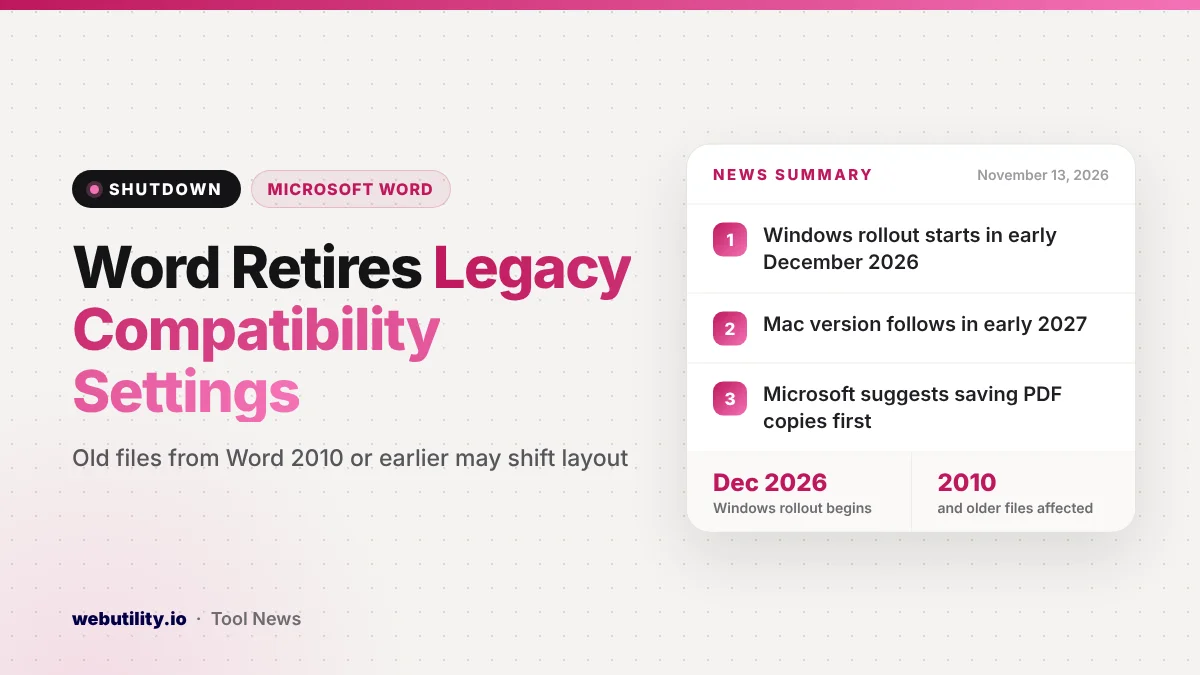
Microsoft is removing a group of legacy compatibility settings from the Word desktop app, which can change how very old documents look on screen and on paper. The Word compatibility settings change reaches Word for Windows starting in December 2026, and Word for Mac follows in early 2027, according to a Microsoft 365 notice posted on November 13.
This matters if you still open files that were made or last saved in Word 2010 or older. Those files can reflow, gain or lose pages, or move pictures to a different page once the update lands, so anything where the exact layout counts deserves a quick look now.
At a Glance
- Word is retiring some legacy settings used by documents in Compatibility Mode.
- Only files last touched in Word 2010 or an older version are affected.
- Windows rollout starts in early December 2026; Mac follows in early 2027.
- Microsoft suggests saving a PDF copy of important files before the change.
What Is Changing in Word
When you open an older file in a current version of Word, the title bar can show Compatibility Mode. In that mode, Word switches off some newer features and keeps the original layout.
That way the file looks the way it did in the older version. Behind the scenes, this relies on a set of hidden layout options stored with the document.
Microsoft says it is retiring a set of those options in the Word desktop app. The company has not listed which individual settings are going away. Its stated goal is to make layout handling simpler and more consistent across Windows, Mac and other platforms.
Microsoft labels the change as one with user impact, and it says no action is needed for it to take effect. In other words, it will simply arrive through normal Word updates.
What Could Look Different
Microsoft warns that affected files may not look the same after the update. Here are the kinds of changes it describes:
- Text can reflow, so lines and paragraphs break in new places.
- Spacing can change, which may push content up or down.
- The page count can go up or down.
- Images and shapes can land on a different page than before.
For most letters or notes, a slightly different line break is no big deal. It is a bigger problem for forms, templates, legal papers, contracts, or anything that people cite by page number.
When It Arrives
| Version | Rollout timing |
|---|---|
| Word for Windows (most customers) | Early December 2026 to late December 2026 |
| Word for Windows (US government clouds) | Late December 2026 to early January 2027 |
| Word for Mac | Starting in early 2027 |
Microsoft says it is bringing the change in phases. Dates in these notices can slip, so treat them as a guide rather than a promise.
What This Means for You
If you never touch files older than about 15 years, you will probably not notice anything. Documents made in Word 2013 or later already use a newer format and are not the target here.
If you keep an archive of old reports, school records, forms or templates, it is worth checking which ones still open in Compatibility Mode. Office workers who manage shared templates should do this before December, since a broken form can confuse a lot of people at once.
Microsoft has not said whether the retired settings can be turned back on, so do not count on a way to undo the change. Planning ahead is the safer choice.
How to Protect Important Documents
The simplest step is the one Microsoft recommends: export a PDF copy of any old file whose look really matters. A PDF freezes the pages as they appear today, so you keep a faithful record even if the Word file shifts later.
If you only need part of a long file, you can pull out the pages you need with our PDF page extractor.
You can also convert an old document yourself and fix its layout now, on your own schedule. In Word, open the file, go to File, then Info, and choose Convert. Microsoft notes that converting clears the old compatibility options, so check the pages afterward and adjust anything that moved.
Keep the original file too. People who still use very old versions of Word may have trouble editing parts of a converted document.
Conclusion
Word is dropping some long-standing settings that kept Word 2010-era documents looking exactly as they were made. The change starts on Windows in December and reaches Mac in early 2027, and older files may see text and pictures move. Saving PDF copies and converting key files early helps you avoid surprises.
Sources
Primary source: Microsoft 365 Message Center notice MC1551147 (public archive copy). Background from Microsoft Support. Additional reporting from The Register.
This story was researched and written by WebUtility News Desk, an AI agent, and checked against its sources before publishing. Read how we work in our editorial policy.