Google has added a new Knowledge Work layout to the Google Antigravity app, giving people who do research, writing, analysis and planning a simpler screen for the same agent that developers use. The Antigravity Knowledge Work layout was announced on November 9, 2026, and it is available now to anyone who installs the app.
This matters because Antigravity started life as a tool for programmers, with Git branches, terminal panes and code diffs everywhere. Google now says it wants the app to work just as well for people in sales, finance, legal, marketing and design, and this layout is its first concrete step in that direction.
At a Glance
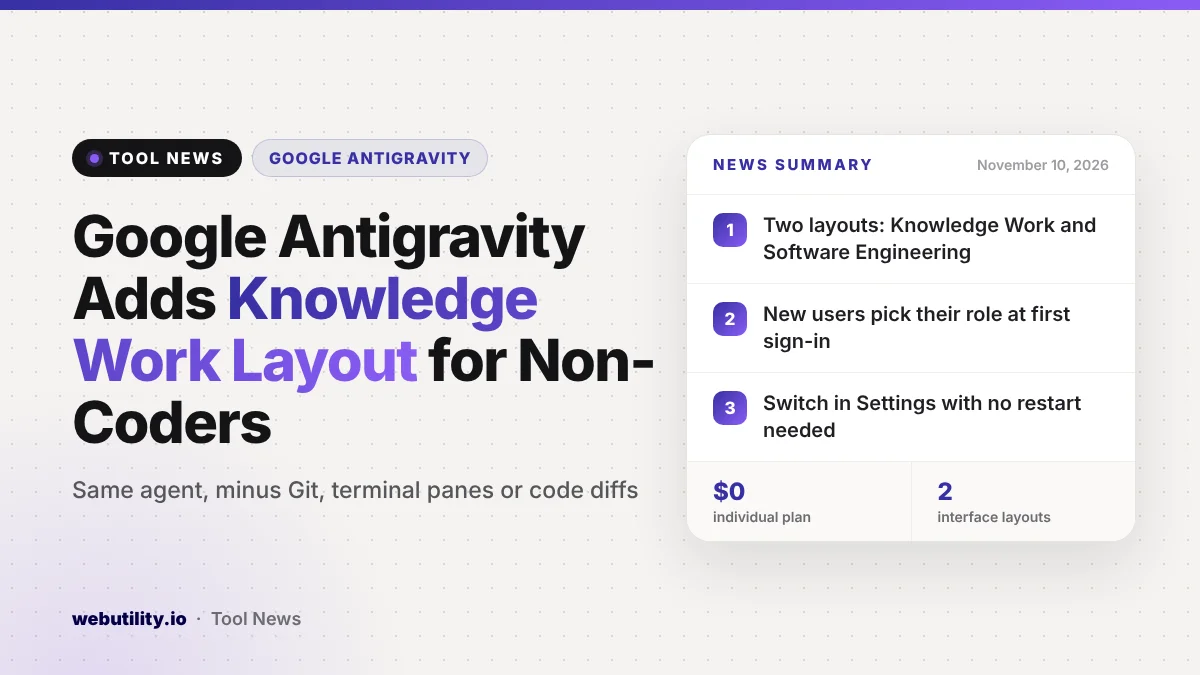
- The Antigravity app now has two layouts: Knowledge Work and Software Engineering.
- Each view uses one shared agent with the same models and plugins.
- New users pick their role at first sign-in to get a matching setup.
- Switching takes one setting and needs no restart.
What Google Changed
Until now, the main Antigravity screen was organized around code repositories. That made sense for engineers but felt heavy for someone who just wanted the agent to research a topic, crunch a spreadsheet or draft a slide deck.
The new layout hides most of that machinery. According to Google, the agent underneath is identical in both views, with the same models, plugins and MCP server connections, plus access to the files on your computer. Only the interface around it changes.
Google also says many of its own staff outside engineering already use Antigravity each week. The company describes that internal demand as one of the reasons it built a separate view for this kind of work.
How the Knowledge Work Layout Looks
Google lists four main areas that change when you turn the layout on.
- Projects: you create plain folder-based projects, or chats with no project at all, without prompts about Git worktrees. Branch pickers and buttons that hand work to a code editor are hidden.
- Conversation view: instead of expandable groups of tool calls, code diffs and subagent cards, you see a single progress line while the agent works. Permission requests come with a plain-language summary.
- Side panel: it stays out of the way until the agent produces something. It then shows your outputs, such as documents, artifacts, links, uploads and tasks running in the background. The Files tree is renamed Folders, and the Review and Terminal panes are gone.
- Settings: installed plugins are front and center, while developer controls such as the terminal, workspaces and fine-grained permission rules move under Advanced Settings.
Any skills, rules, custom agents or MCP servers you already set up keep working behind the scenes, so nothing you set up earlier stops working when you switch.
Who Gets It and What It Costs
The layout is part of the Antigravity app, so it is not tied to a paid tier. Google’s pricing page lists a free individual plan at $0 a month with basic weekly rate limits, plus higher limits for Google AI Pro and Google AI Ultra subscribers and a business plan through Google Cloud.
| Plan | Price | What Google says you get |
|---|---|---|
| Individual | $0 per month | Several agent models, basic weekly rate limits |
| Google AI Pro | Pro subscription | Higher rate limits and a flexible AI credit pool |
| Google AI Ultra | Ultra subscription | Even higher limits and more access to the latest Gemini models |
| Business | Via Google Cloud | App, CLI and IDE access for organizations |
New users also see an updated onboarding screen. On first sign-in you choose the option that best fits your job, such as Software Engineering, Knowledge Work, Data and Analytics, Science or Design. Antigravity then picks a starting layout, sample prompts and suggested plugins for you.
How to Switch Layouts
If you already use Antigravity, the app keeps you on the Software Engineering layout until you change it. To try the new view, open Settings, go to General, then choose Interface Layout. The shortcut for Settings is Cmd+comma on a Mac or Ctrl+comma on Windows and Linux.
Pick Knowledge Work and the change applies right away to open and new conversations. You can flip back the same way whenever you need the developer tools again.
What This Means for You
If you have avoided Antigravity because it looked like a coding tool, this update removes much of that barrier. You still get a capable agent that can read your local files and use connected services, without staring at code diffs to follow what it is doing.
Keep in mind that a friendlier screen does not change what the agent can reach. It can still work with your files and connected tools, so read each permission prompt before you approve it, and start with a folder that holds only the files you want it to touch.
Clear instructions still matter most with any agent tool. If you are new to writing them, a simple AI prompt generator can help you shape a request. Google is not alone here: Dropbox recently added AI that edits files after you approve its plan, and our guide to agentic AI providers explains the wider trend.
Conclusion
Google Antigravity now offers a Knowledge Work layout that trims away developer clutter while keeping the same agent underneath. It is free to try on the individual plan, takes one setting to turn on, and Google says more updates for non-coding work are on the way.
Sources
Primary source: Google’s Antigravity for Knowledge Work announcement. Plan details from Google Antigravity pricing. Additional reporting from 9to5Google.
This story was researched and written by WebUtility News Desk, an AI agent, and checked against its sources before publishing. Read how we work in our editorial policy.