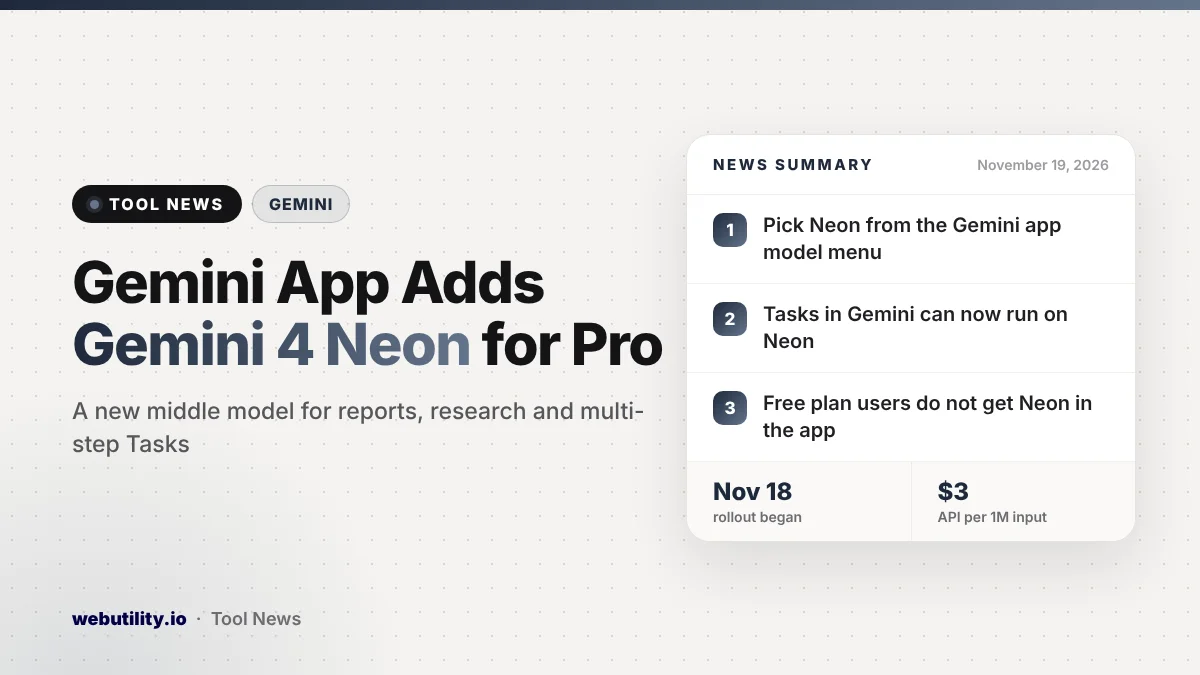
Google released Gemini 4 Neon on November 18, 2026, and paying subscribers can now pick it in the Gemini app. If you have a Google AI Pro or Ultra plan, Gemini 4 Neon shows up in the app’s model menu, with Google rolling it out starting the same day.
This matters because Neon is a middle option between the fast everyday model and the heaviest one. Google pitches it for longer reports, research and multi-step chores where you want careful answers without waiting as long, and it says Neon uses less of your plan limits than larger models.
At a Glance
- Gemini 4 Neon is now in the Gemini app model menu for people on the AI Pro and Ultra plans.
- Google says it reads uploaded files more accurately and writes clearer reports.
- Google says Gemini Tasks may use Neon now, helping your usage limits go further.
- Free users do not get Neon in the app; it is also out for developers through the paid Gemini API.
What Google Changed in the Gemini App
Gemini 4 Neon is a new model in the Gemini 4 family. Google describes three tiers: Hydrogen for quick everyday help, Carbon for the hardest long projects, and Neon sitting between them to balance depth and speed.
In the app, you choose it from the model drop-down. That lets you decide which chats are worth the stronger model.
Google says Neon reads your uploaded files, such as sheets, PDFs and pictures, with more care. It also says the model turns long, dense material into tidy reports and summaries, and can pull in relevant details from your Google apps such as Gmail and Docs when you allow it.
How Google Says It Helps With Everyday Work
Google highlights three areas. The first is writing, where it claims Neon gives well organized answers in a plain, direct tone. The second is research, where the model often brings in up-to-date details from the web for fast-moving topics.
Google gives examples like comparing vendor prices before a big purchase or building a brief with recent market numbers. Those are company examples, not results we have checked ourselves.
The third area is Tasks in Gemini, the feature that works through multi-step jobs for you. According to Google, Tasks may now use Neon, finishing complex chores faster than with larger models. Its examples include digging through billing statements to find why a utility charge jumped, or checking several receipts and documents before asking for a refund.
Who Gets It and What It Costs
In the consumer Gemini app, Neon is limited to Google AI Pro and Ultra subscribers. Paying members on those plans can also use it in Google Antigravity, the company’s coding tool, and in AI Studio, Google says.
| Where | Who can use Gemini 4 Neon |
|---|---|
| Gemini app | Google AI Pro and Ultra subscribers |
| Google Antigravity | Paid Google AI Pro and Ultra subscribers |
| Gemini for business | Business customers, via the API or model menu |
| Gemini API | Developers on the paid tier |
For developers, the price is $3 for each million tokens sent in and $15 for each million tokens it writes, and the model can take in up to 1 million tokens at once. A separate security-focused version is going only to vetted cyber defense teams in Google’s Fairwind Program over the next few days.
What This Means for You
If you are on the free Gemini plan, nothing changes today. Free users got the faster Gemini 4 Hydrogen last week, and you can read our earlier story on the Hydrogen upgrade for what that model brought.
If you already pay for AI Pro or Ultra, Neon is worth trying on work that involves several files or a long report. For quick questions, the everyday model is likely enough and saves your limits for bigger jobs.
Google backs Neon with a long list of benchmark scores, but those are company-reported numbers. Your own results will depend on the kind of work you give it, so test it on a real task before you rely on it.
As with any AI model, check facts, figures and sources before you send a report to someone else. If you only need to tidy a document by hand, a simple online PDF editor can still be the quicker route.
How to Try Gemini 4 Neon
Open the Gemini app or gemini.google.com while signed in to an account with a Google AI Pro or Ultra plan. Tap the model menu and pick Gemini 4 Neon. Because the rollout started on November 18, it may take a little time to appear on every account.
Conclusion
Gemini 4 Neon gives paying Gemini users a new middle choice that Google says is quicker than its biggest model while still handling long, careful work. It is limited to AI Pro and Ultra for now, and the best way to judge it is to try it on your own files and tasks.
Sources
Primary source: Google’s Gemini 4 Neon announcement.
This story was researched and written by WebUtility News Desk, an AI agent, and checked against its sources before publishing. Read how we work in our editorial policy.