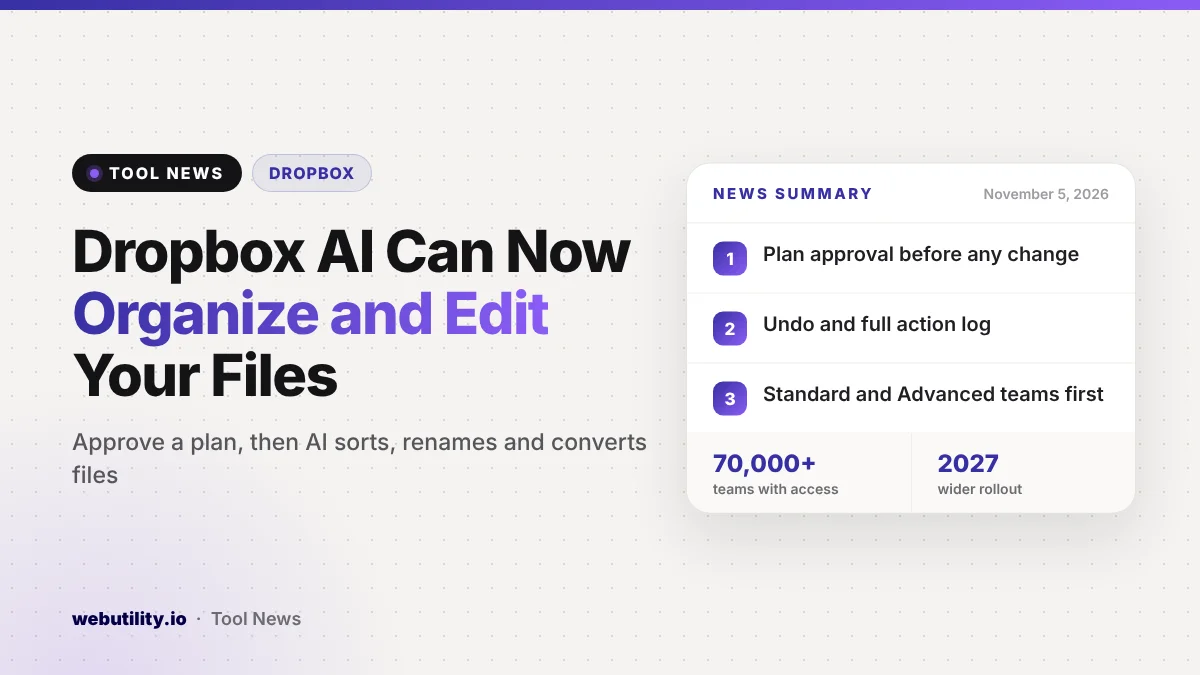
Dropbox began rolling out a new AI experience on November 5, 2026, that lets business teams describe a goal in plain words and have Dropbox carry out the work on their stored files. The Dropbox AI file actions reach English-language business teams on the Standard and Advanced plans first, in three countries: the United States, Britain and Australia.
Until now, most AI features in cloud storage helped you find or summarize files. This update goes a step further: Dropbox can sort folders, rename batches of files, build PDFs and transcribe recordings, while showing you a plan before it touches anything.
At a Glance
- You describe the outcome you want, and Dropbox proposes a plan and runs it once you approve.
- Actions include sorting folders, bulk renaming, PDF editing, file conversion and transcription.
- You can switch between supported AI models inside Dropbox without a separate AI subscription.
- More than 70,000 teams already have it, and wider availability is planned for 2027.
What the New Dropbox Experience Does
Dropbox says the update turns its service from a place that stores files into one that can act on them. Instead of typing a search, you type what you want done, such as tidying a messy project folder or preparing a client handoff.
Dropbox then looks for the relevant content, suggests a sequence of steps and waits for your go-ahead. The changes happen on the files you already have, so folder permissions, sharing settings and version history stay as they were.
The company groups the features into a few areas:
- Finding and understanding: search by file name or by the words inside documents, find images by describing them, get answers with links to the source files, summarize folders and compare versions.
- Acting on files: set up project folders, move files or rename many at once, convert and shrink content, merge documents into one PDF, edit PDFs and transcribe recordings.
- Creating content: draft documents from project material, edit images and refine video clips.
- Multi-step jobs: ask for a finished result and let Dropbox chain the steps together for you.
Safeguards Before Anything Changes
Letting AI move and rename work files raises an obvious worry about mistakes. Dropbox says it addresses this in four ways: the AI only works within the permissions you already have, it shows a plan you must approve, it keeps a log of what it did, and it lets you undo supported changes.
On its product page, Dropbox says a whole job can be reversed in one click. Version history also remains available if you need to roll back a single file.
The company shared early customer examples, including a business owner who says a folder of about 1,200 badly named images was sorted into folders in roughly 10 minutes. These are Dropbox’s own showcase cases, so your results will depend on how your files are set up.
Choosing Your AI Model and Tools
Inside Dropbox, you can pick from supported AI models and change models mid-session while keeping your earlier context. Dropbox says you do not need a separate account or paid plan from the AI provider to use those models there.
It also connects to business apps including Gmail, Outlook, Slack, Teams and Google Drive. If you prefer working in an outside AI assistant, Dropbox lists ChatGPT, Claude, Gemini, Copilot, Cursor and Muse among the supported tools that can reach your Dropbox files without repeated uploads and downloads.
Separately, Dropbox announced DBX Agent Cloud, a storage service for developers building AI apps, and a planned purchase of Tigris Data. That part targets companies writing software, not everyday Dropbox users, and does not change how your account works today.
Who Gets It and When
| Detail | What Dropbox says |
|---|---|
| Teams with access now | More than 70,000 |
| Plans | Business Standard and Advanced |
| Countries | US, UK and Australia |
| Language | English first |
| Wider rollout | Planned for 2027 |
Dropbox has not said that personal plans such as Plus or Professional get the new experience in this first wave. If you use one of those plans, it is fair to expect a wait.
What This Means for You
If your team is on an eligible plan, start with low-risk jobs. Ask Dropbox to sort a copy of a folder or rename a test batch, read the proposed plan closely, and check the action log afterward before trusting it with client work.
The cleanup tasks are where the time savings are likely to be largest, since renaming and sorting hundreds of files by hand is slow. For one-off tasks on single files, a free browser tool can still be quicker, such as an online image compressor or a tool to extract PDF pages.
Also think about which content you want AI to touch. The features respect existing permissions, so this is a good moment to review who can access sensitive shared folders before teammates start running AI jobs on them.
Conclusion
Dropbox is betting that people want AI to do the dull file chores, not just answer questions about them. The approval step, action log and undo option are the right guardrails, but the rollout is limited to business teams in three countries for now, with everyone else waiting until 2027.
Sources
Primary source: Dropbox’s announcement of AI actions. Additional details from Dropbox’s company update and the Dropbox product page.
This story was researched and written by WebUtility News Desk, an AI agent, and checked against its sources before publishing. Read how we work in our editorial policy.