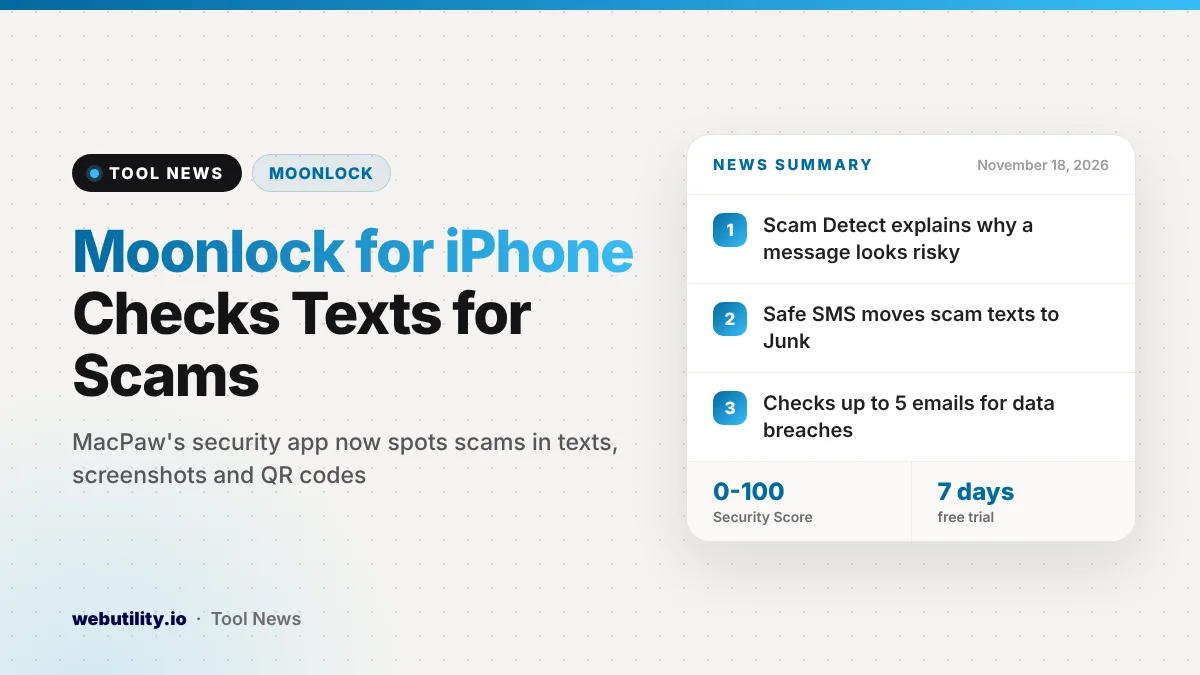
MacPaw launched its Moonlock security app for iPhone on November 18, 2026, bringing the tools from its Mac app to phones for the first time. Moonlock for iPhone looks over shady messages, screen grabs and QR codes for warning signs of fraud, rates your phone’s security setup and tells you if your email showed up in a data breach.
Scam texts are one of the most common ways people lose money or accounts, and they often look like ordinary messages. A tool that explains why something looks wrong, in plain language, can help you pause before you tap a bad link.
At a Glance
- Scam Detect reviews texts, screen grabs and QR codes and explains its answer.
- Safe SMS can move probable fraud texts from strangers into Junk.
- A Security Score from 0 to 100 suggests one next step at a time to improve your iPhone setup.
- The App Store lists the app as a free download that needs iOS 26, with a 7-day trial on paid plans.
How Scam Detect Works
Scam Detect is the main feature. You can drop in copied text, upload a screen grab or point the camera at a QR code, and the app gives its judgment plus an explanation. MacPaw gives the example of a link that does not match the sender it claims to come from.
You do not have to leave the app you are in. Press and hold a message, choose Share, then select Moonlock for an instant check. With QR codes, you get to see the real destination ahead of visiting it.
Safe SMS is an optional filter you turn on in Settings. When enabled, likely fraud texts from people not in your contacts land in the Messages Junk folder, and Moonlock keeps a log of what it filtered and why. MacPaw says nothing is deleted without your say.
Security Score and Breach Checks
On first launch, the app quickly reviews your Wi-Fi, your Face ID or passcode setup, your iOS version and any hint that the phone is jailbroken. The result becomes a Security Score from 0 to 100, with a single suggested fix at a time rather than a long list.
A list of one-off fixes includes guided steps and a rough time needed for each. The app also updates your status when things change, such as connecting to an unfamiliar network or skipping a system update.
Email Breach History lets you check up to five email addresses against known breaches. For every hit, you see the company behind the leak, the date and the kinds of data involved, like passwords or phone numbers, plus guidance on locking that account down.
Price and Requirements
| Detail | What the App Store lists |
|---|---|
| Download | Free |
| Paid plans | Monthly or yearly, with a 7-day free trial |
| Requires | iOS 26 or later |
| Mac version | A separate app |
Moonlock is also offered through Setapp, MacPaw’s app subscription service, where it covers both Mac and iPhone without a separate purchase.
What This Means for You
Be clear about what this app can and cannot do. iOS does not let apps scan other apps or files, so Moonlock is not a virus scanner. MacPaw says it only sees messages you share with it plus incoming texts from strangers while the filter is switched on, not your message history.
Before you pay, use the free trial to see if the app fits your habits. Its main value is through its plain-language scam explanations and breach alerts, which may suit you or a less tech-savvy family member.
If you only want to see where a code points, a free QR code scanner can show the link before you visit it. And if a breach check turns up an old password, swap it for a new one from a strong password generator.
Conclusion
Moonlock for iPhone brings MacPaw’s scam checks, Security Score and breach alerts to phones as of November 18, 2026. It is free to download with paid plans after a trial, and it works best as a second opinion on suspicious messages rather than full antivirus protection.
Sources
Primary source: MacPaw’s announcement. Additional details from the Moonlock App Store listing and reporting from MacRumors.
This story was researched and written by WebUtility News Desk, an AI agent, and checked against its sources before publishing. Read how we work in our editorial policy.