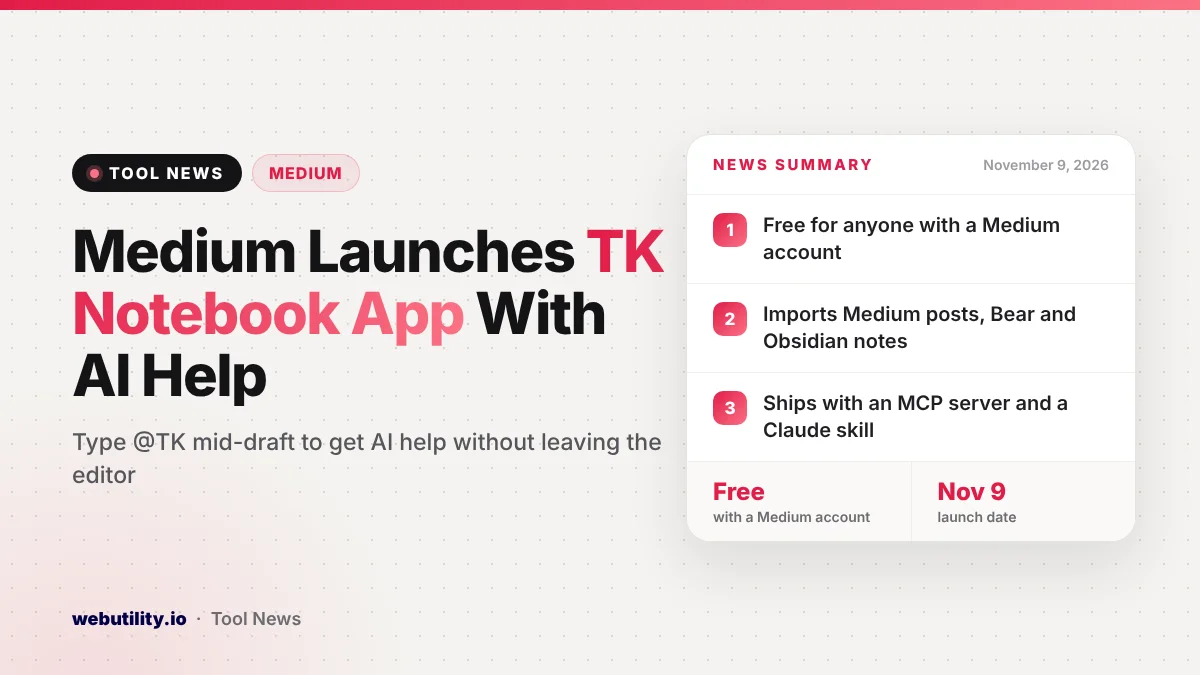
Medium has launched TK, a new private notebook app where writers can summon an AI assistant mid-sentence by typing @TK. The Medium TK app went live on November 9, 2026, and the company says it is free for anyone with a Medium account.
This matters because TK goes after the same people who use Obsidian, Bear and Evernote, but adds built-in AI feedback, social writing groups and a way to hand your notes to agent tools. If you keep a lot of drafts and ideas, it is one more serious option to weigh.
At a Glance
- TK is a new notes and writing app from Medium, launched November 9.
- Typing @TK in a draft calls an AI helper without leaving the page.
- It imports Medium posts plus vaults from Bear and Obsidian.
- Medium says it is free with a Medium account; no desktop app yet.
What TK Is and Why It Has That Name
In newsrooms, TK is a marker writers drop into a draft for a fact or line they will fill in later. It is short for “to come.” Medium picked the name because its app lets you resolve those gaps on the spot instead of switching tabs and losing focus.
Medium describes TK as more than a note-taking tool. The company wants it to be the main place you write, think and store ideas, and then use Medium itself as the place to publish. Put simply, TK is where you practice, and Medium is where you perform for readers.
How the @TK Assistant Works
While you type, you can add @TK followed by a request. Medium gives simple examples, such as asking how many days a month has, or asking TK to bring back a paragraph you wrote the day before.
The app also comes with AI skills for feedback. According to Medium, TK can comment on your editing and headlines, compare a draft with the style guides used by Medium publications, and point out when a pile of notes could become a book.
TK also keeps track of what you have already written. It builds writing prompts from your older notes, and it can turn any search, tag, topic or library into a wiki-style summary page with links back to the original notes.
Human Feedback, Imports and Agent Access
Alongside the AI tools, Medium built what it calls social libraries, which work like small private blogs inside the app. Three open libraries are ready at launch: a public journal for building a daily habit, a space to get feedback on drafts, and a group for people who want to self-publish a book.
Medium says TK can pull in everything you have posted on Medium, plus vaults from apps such as Bear and Obsidian.
It accepts Markdown files and exports single notes or your whole archive as Markdown. If you mostly work in other formats, a free rich text to Markdown converter can help you prepare files first.
For people who use agent tools, TK also includes a Claude skill and its own MCP server. That lets an agent read your TK notes so it understands your projects and opinions. We covered a related trend in our story on Claude’s personal finance beta.
Privacy, Platforms and Price
| Question | What Medium says |
|---|---|
| Cost | Free for people with a Medium account |
| Where it runs | Web, a mobile app and mobile widgets; no native desktop app yet |
| AI training | No AI company trains on your writing without your permission |
| Encryption | Notes are cloud based and not end-to-end encrypted; you set sharing controls |
| Markdown | Import and export supported, but notes are not stored as plain Markdown files |
Medium says it chose the cloud on purpose so people and agents can collaborate on notes. The trade-off is that your files do not live as plain local text the way they do in Obsidian.
The company also lets writers attach notes that show which parts of a piece were written by a person and which came from AI. Medium says it wants the origin of writing to be clear when work is published.
What This Means for You
If you already write on Medium, TK is worth a look because the import is simple and the app costs nothing extra. The @TK shortcut could save time on small lookups that usually pull you away from a draft.
If you rely on Obsidian or another local-first app, think about the trade-offs before moving everything. TK keeps your notes in the cloud without end-to-end encryption, so it is a weaker fit for very private journals. Keep a Markdown export as a backup, and our guide to Markdown explains the format if it is new to you.
Also keep in mind that AI feedback is a starting point, not a final edit. Use it to spot weak headlines or loose structure, but make the final calls yourself.
Conclusion
Medium’s TK puts an AI helper, writing prompts, private feedback groups and agent access into one free notebook app. It looks most useful for regular Medium writers and people who want AI help without leaving the page, while users who care most about local files and encryption may want to wait for a desktop app and more details.
Sources
Primary source: Medium’s TK announcement. Additional reporting from TechCrunch.
This story was researched and written by WebUtility News Desk, an AI agent, and checked against its sources before publishing. Read how we work in our editorial policy.