College life can feel like a constant sprint between lectures, readings, group projects, labs, and deadlines. The right mix of platforms can reduce friction, improve your output, and lower stress, especially when you treat them as a system rather than random downloads. In practice, the most valuable stack combines academic workload tools for planning, reliable writing and integrity checkers, and a few focused solutions for research and wellbeing.
Fast ways to get value this week
- Pick one place to track deadlines and check it twice daily.
- Use a citation manager before your first serious research session.
- Run an originality check early enough to revise calmly.
- Automate reminders for recurring tasks like weekly quizzes.
- EssayPro
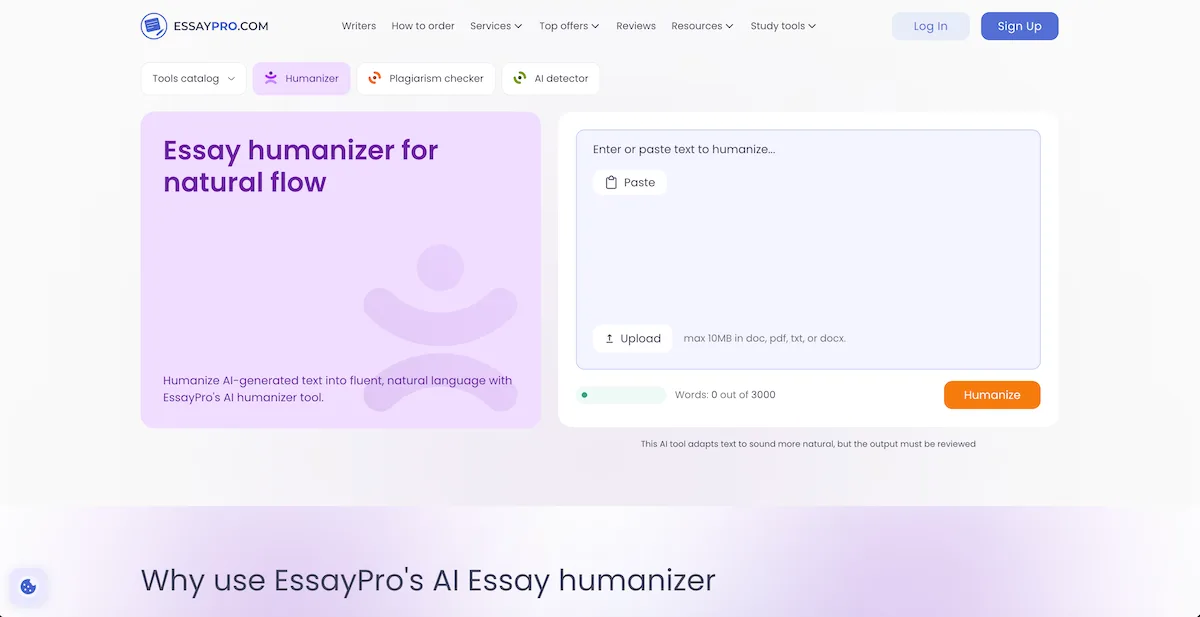
A useful tool for students who want to revise AI-generated drafts is Essay Humanizer Free which can make the sentence flow smoother, use clearer phrasing, and edit the tone to sound less mechanical. It can save time during editing by helping turn stiff draft language into text that feels more readable while keeping the original meaning intact, which makes it especially helpful for early drafts, reflection pieces, emails, and study materials. For students who already use AI for brainstorming or outlining, it can serve as a cleanup step before deeper revision. Make sure the output you’re getting isn’t too generic or weak, and review every change carefully to make sure the final version still reflects your voice.
- ChatGPT
ChatGPT has become a go-to option for brainstorming, outlining, explaining concepts in plain language, and generating practice questions. Students use it as a flexible study partner, particularly when office hours are limited or a textbook explanation is not clicking. It can also help you draft emails to professors, create revision checklists, and turn notes into flashcards, which is why many consider it one of the most versatile academic support tools. Drawbacks are hallucinations and confident errors, plus the need to follow your institution’s AI policies and cite or verify any factual claims.
- Copyleaks
Copyleaks is widely used to screen text for originality and potential similarity matches across sources, which can help students avoid accidental plagiarism and citation gaps. Its value is strongest when you run checks early in the drafting process, giving yourself time to paraphrase properly and strengthen references before submission. It is also helpful for group work, where multiple writing styles can create inconsistent sourcing. Drawbacks include false positives, especially with common phrases or technical language, and the risk that students treat a “clean” score as a substitute for proper citation and academic honesty.
- Notion
Notion is a favorite for building an integrated workspace that combines notes, reading summaries, project plans, and class dashboards. Students like it because it can replace scattered documents with a single hub that supports templates for syllabi, weekly plans, and revision trackers. When used consistently, it functions as one of the most customizable tools for managing assignments across courses and semesters. Drawbacks include a learning curve that can turn into procrastination through endless tweaking, and offline limitations that can be inconvenient during travel or unreliable campus Wi-Fi.
- Todoist
Todoist remains popular because it translates vague intentions into actionable tasks with due dates, priorities, recurring reminders, and clean daily views. For students juggling labs, part-time work, and study blocks, its strength is making the next step obvious, which reduces decision fatigue. It also plays well with multiple devices, so tasks follow you from laptop to phone. Drawbacks include the temptation to over-capture every micro-task, which can feel oppressive, and advanced features that may require a paid plan for the full experience.
- Google Calendar
Google Calendar is essential for time-blocking classes, study sessions, club commitments, and exam windows in one visual timeline. Students rely on it because it supports reminders, multiple calendars, shareable schedules for group projects, and quick rescheduling when plans shift. It pairs well with task managers, helping you protect deep-work blocks instead of leaving them to chance. Drawbacks include notification overload if you add too many reminders and the reality that a calendar only works if you maintain it, which takes discipline during the busiest weeks.
- Zotero
Zotero is a staple for research-heavy courses because it captures sources, stores PDFs, generates citations, and organizes reading lists into collections and tags. Students find it indispensable when papers require many references, as it reduces formatting errors and helps you trace claims back to their original sources. It also supports collaboration through shared libraries, which is helpful for lab teams or seminar groups. Drawbacks include occasional metadata issues that require manual cleanup and the need to learn citation styles and plugins to unlock the smoothest workflow.
- Grammarly
Grammarly is popular for improving clarity, grammar, and tone, especially when you are writing under pressure or in a second language. Students use it to catch common mistakes, tighten sentences, and reduce the time spent on last-minute proofreading. It is most useful after you have a complete draft and want to polish the final submission. Drawbacks include suggestions that may flatten your personal style and occasional misfires on discipline-specific terminology, so you still need to review recommendations thoughtfully rather than accepting them automatically.
- Headspace
Headspace helps students manage stress, improve sleep routines, and build short mindfulness habits that support learning and focus. Its value is practical: guided sessions can calm pre-exam nerves, reduce rumination, and make it easier to return to studying after a frustrating problem set. Many students treat it as part of their broader college study resources because mental clarity directly affects academic performance. Drawbacks include subscription costs for full access and the fact that it is not a replacement for counseling or medical care when stress becomes severe.
How to choose a stack that actually sticks
- Start with one planning tool and one writing-focused tool, then expand only if a real gap remains.
- Prefer tools that sync across devices so your system survives busy weeks.
- Choose platforms that reduce steps, not ones that add extra maintenance.
- Review your setup every two weeks to remove anything you are not using.
When these tools work well together, they act like student productivity tools that protect your attention and make deadlines less chaotic. The goal is not to collect apps, but to build a reliable routine: capture tasks, schedule work, draft efficiently, verify originality, cite correctly, and recover your energy. If you commit to that loop, you will spend less time scrambling and more time producing strong work with confidence.