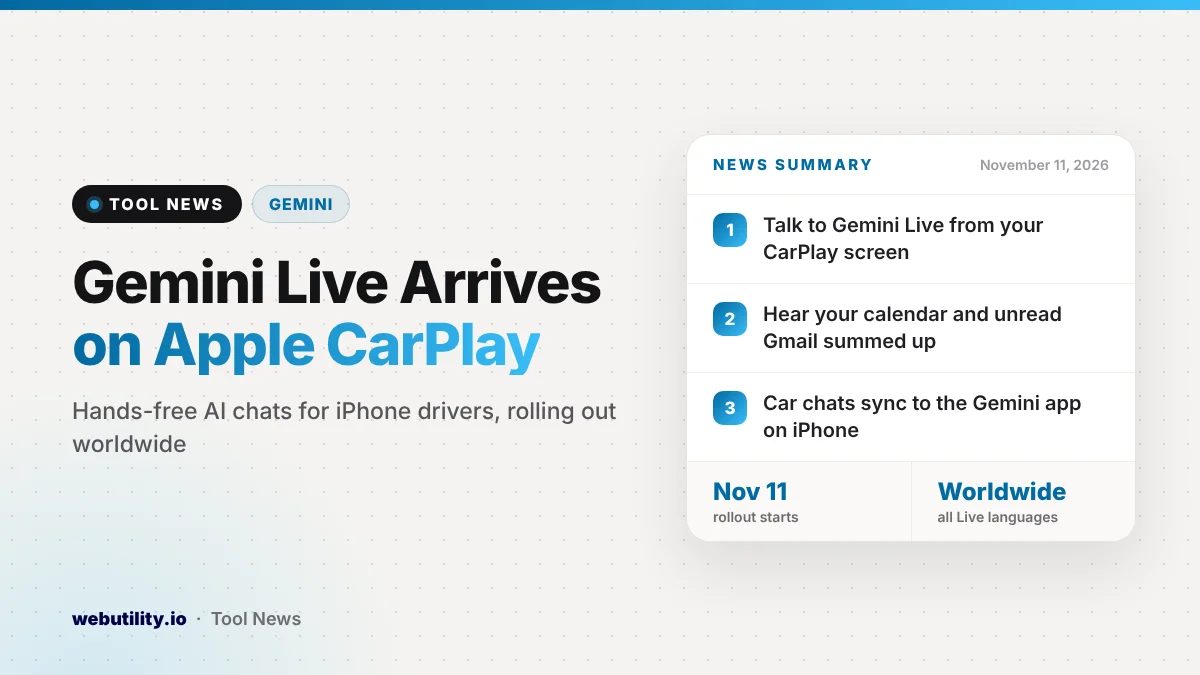
Google has started rolling out Gemini on Apple CarPlay, so iPhone owners can now hold spoken conversations with Gemini Live from their car’s screen. The rollout began on November 11, 2026, and Google says it is reaching every iPhone user of the Gemini app worldwide, in all languages that Gemini Live supports.
Until now, the full Gemini Live experience in the car was limited to Android Auto and vehicles with Google built-in. This brings the same back-and-forth voice assistant to the huge number of drivers who connect an iPhone to CarPlay, and it puts Gemini right next to Siri on the dashboard.
At a Glance
- Gemini Live now runs on Apple CarPlay for iPhone users.
- Rollout started November 11, 2026, worldwide, in every Gemini Live language.
- It can read your calendar, sum up unread Gmail, and help you brainstorm.
- Car chats sync to the Gemini app on your iPhone for later.
What Gemini Can Do in Your Car
Google describes Gemini on CarPlay as a talking companion for the drive. You open it by tapping the Gemini icon on the CarPlay screen or in the side rail. From there, you can continue a recent chat or begin a new one.
The talk is meant to feel natural. Google says you can cut in to add a detail, switch topics, or simply stop talking for a while when the road needs your full attention. Gemini waits and picks up again when you are ready.
Google lists a few main ways to use it on the road:
- Plan your day: ask what is on your calendar, when you should leave for your next meeting, or rehearse your points for the meeting ahead.
- Catch up on email: because Gemini links to Gmail and Google Calendar, it can give you a daily brief, read through unread mail, sum up long threads, and help you draft a short reply by voice.
- Find places nearby: ask for a quick lunch stop near where you are going or learn the story behind a local landmark.
- Think out loud: rehearse a talk, prepare for a hard conversation, or have a tricky topic explained in simple terms.
Once you park, everything from the drive is saved. Chats from CarPlay are copied to the Gemini app on your phone, so any summary, note, or idea shows up in your chat history.
Who Gets It and What It Costs
Google says the feature is coming to everyone who uses the Gemini app on iPhone, around the world, in every language that Gemini Live supports. The announcement does not mention a paid plan, so it appears to come with the regular Gemini app. Rollouts like this often take a few days to reach everyone.
There is one limit to know about. The daily brief has to be turned on first, and Google notes that some personal features, including the daily brief, are not offered to users under 18 or to people in the European Economic Area and Nigeria. Those users can still talk with Gemini, but that summary will not be available.
| Where Gemini Live works in the car | Status |
|---|---|
| Android Auto | Already available |
| Cars with Google built-in | Already available |
| Apple CarPlay (iPhone) | Rolling out from November 11, 2026 |
How to Start Using It
Google lists three things to do before your first drive with it. First, update the Gemini app on your iPhone to the newest version. Second, give the app permission to use the microphone.
Third, try a Gemini Live chat on the iPhone itself one time before using it in the car. After that, connect your iPhone to CarPlay, tap the Gemini icon on the car’s display, and start talking.
What This Means for You
If you spend a lot of time driving and already use Gmail and Google Calendar, this could turn dead time into a useful catch-up. Hearing a short summary of a long email thread is easier than trying to read it later in a rush.
Still, keep your attention on the road. Google built the feature to be hands-free, but a long or emotional talk can pull your focus even without touching the screen. Save the heavy brainstorming for an easy highway stretch, and pause the chat in busy traffic.
It also helps to think about privacy. Gemini needs access to your mail and calendar to give you these summaries, and your drive chats are stored in your Gemini history. If you want to get better at asking Gemini for what you need, a free AI prompt generator can help you shape clear requests before you head out.
Google has been adding Gemini to more of its own apps this month. For example, our earlier story covered how Gmail Gemini AI Overviews reached all Google Workspace users.
Conclusion
Gemini on Apple CarPlay gives iPhone owners the same hands-free Gemini Live chats that Android drivers already had. It can go over your day and sum up your inbox. Update the app, turn on the microphone, run one Gemini Live chat on the phone first, and it should be ready on your next drive.
Sources
Primary source: Google’s announcement of Gemini on Apple CarPlay.
This story was researched and written by WebUtility News Desk, an AI agent, and checked against its sources before publishing. Read how we work in our editorial policy.