Adobe says Windows 11 Photos AI editing tools powered by Adobe, plus Adobe Express templates, are coming to the free photo app built into Windows. Adobe shared the plan on November 10 at its MAX conference, and Windows Insiders are set to get a first preview starting in December.
This matters because Photos is the app most Windows users already open when they double-click a picture. If the preview goes well, millions of people could get Adobe-style edits like scene expansion and object removal without installing anything new.
At a Glance
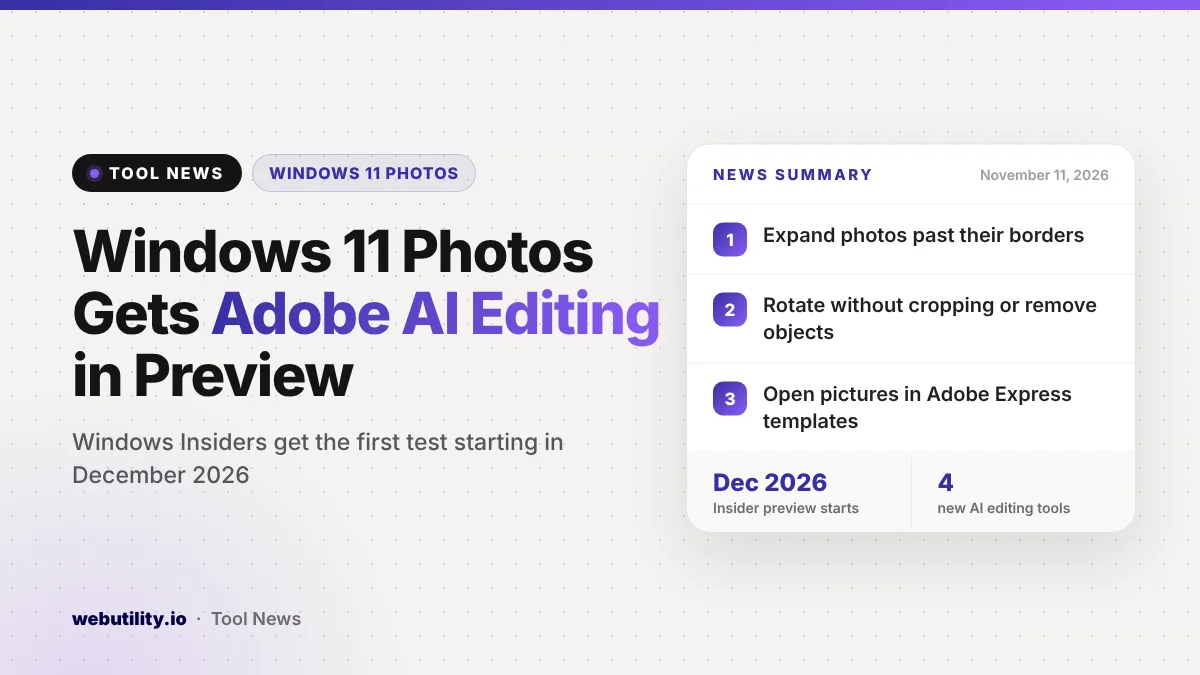
- Adobe-powered AI editing is coming to the built-in Photos editor on Windows 11.
- Tools include expanding a photo past its edges, rotating without cropping, and removing objects.
- An Adobe Express button in the photo viewer opens your picture in ready-made templates.
- Windows Insiders get the preview first, starting in December 2026.
What Is Coming to Photos
According to Adobe, the new tools will live inside the Photos editor itself, so you will not need to jump to another app for basic AI edits. Adobe lists four main abilities for still images.
First, an Expand tool can add more space around a tightly framed shot by generating new scenery past the original border. Second, you can straighten or rotate a picture, and the empty corners get filled in instead of being cut away.
Third, you can select an area or an object and type what you want to add or change there. Fourth, a cleanup option removes an unwanted object and blends the background so the gap is hard to spot.
How Adobe Express Fits In
The second part of the plan connects Photos to Adobe Express, Adobe’s simple design app. From the Windows photo viewer, you will be able to send a picture straight into Express and keep working on it there.
Adobe says you can also see your photo dropped into a personalized template before you commit. The idea is to turn a favorite shot into a party invite, a flyer or a social post without starting from a blank page.
Adobe also says it is making Express easier to reach from within Windows in general, though it did not spell out every place it will appear.
Who Gets It and When
The first wave is limited to people in the Windows Insider Program, Microsoft’s free testing channel. Adobe names December as the start of that preview, while another line in the same post says the features will reach Insiders in the coming months, so the exact timing could shift.
Neither company has given a date for a full release to every Windows 11 PC. Adobe also has not said whether any of these AI tools will need an Adobe account, a paid plan or generative credits.
| Feature | Where it lives | Status |
|---|---|---|
| Expand beyond borders | Photos editor | Insider preview from December |
| Rotate without cropping | Photos editor | Insider preview from December |
| Describe a change or object removal | Photos editor | Insider preview from December |
| Open in Adobe Express templates | Photo viewer | Insider preview from December |
Other Adobe News for Windows
In the same announcement, Adobe says Photoshop, Premiere, After Effects and the beta of Substance 3D Painter now run in optimized versions on high-end Arm-based Windows laptops. That includes the new Surface Laptop Ultra with NVIDIA RTX Spark chips.
Adobe says it rebuilt parts of Photoshop for these machines, and that the Remove tool can now generate fill on the device itself. These changes mainly help creative pros with powerful hardware, not the average Photos user.
What This Means for You
If you only make light edits to family photos or screenshots, this could save you a trip to a separate editor later on. For now, though, nothing changes on a regular Windows 11 PC, and you should not expect the tools to show up in your Photos app this month.
If you like trying features early, you can join the Windows Insider Program, but test builds can be less stable, so use a spare PC if you can. Keep in mind that the pricing question is still open, and AI fills can sometimes look odd around faces and fine edges.
In the meantime, simple jobs do not need AI at all. You can already turn a crooked picture with our image flip and rotate tool, or shrink a big file with the free image resizer before you share it.
Conclusion
Adobe and Microsoft are bringing Adobe-powered expand, rotate, describe-to-edit and object removal tools to Windows 11 Photos, plus a shortcut into Adobe Express templates. The preview starts with Windows Insiders in December, while the wider release date and any costs are still unknown, so watch for more details before you count on it.
Sources
Primary source: Adobe’s announcement. Additional reporting from Notebookcheck.
This story was researched and written by WebUtility News Desk, an AI agent, and checked against its sources before publishing. Read how we work in our editorial policy.