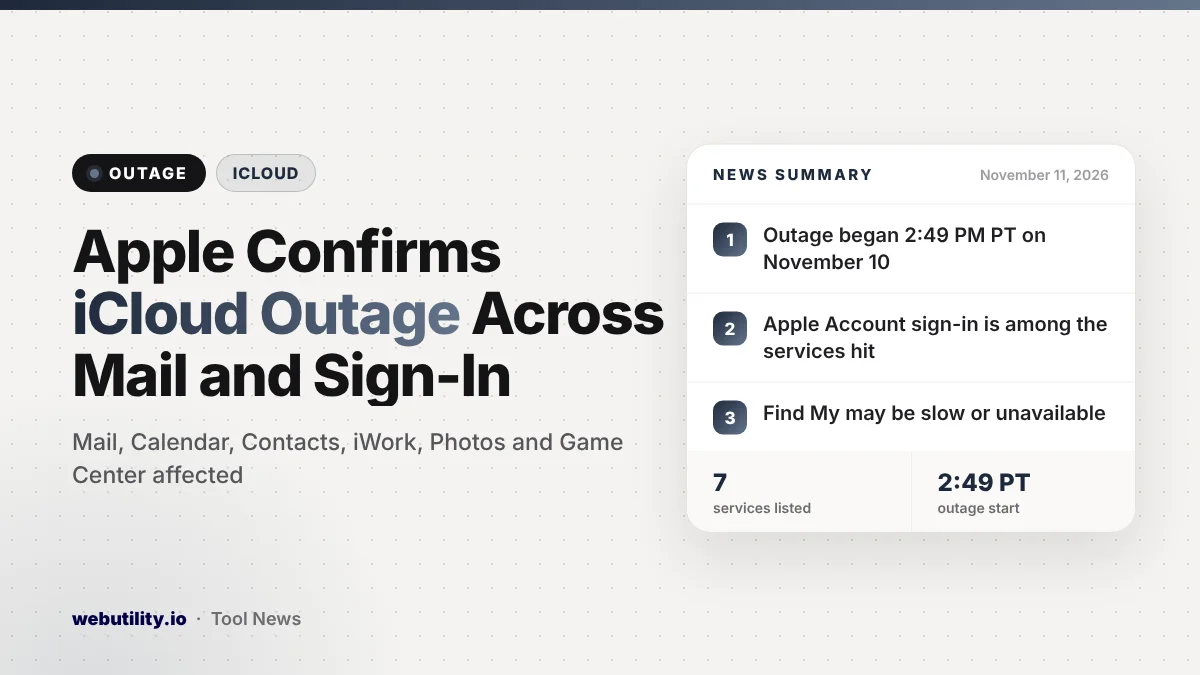
Apple is dealing with an iCloud outage that started on Tuesday, November 10, at 2:49 PM Pacific time (5:49 PM Eastern). Its System Status page lists problems with iCloud Mail, iCloud Calendar, iCloud Contacts, iCloud Account and Sign In, iWork for iCloud, Photos and Game Center, and says some users are affected.
iCloud sits behind almost everything on an iPhone, iPad or Mac, from your inbox to your shared calendars and photo library. When it stumbles, many people notice at once, and some may be locked out of their Apple Account for now.
At a Glance
- The outage began at 2:49 PM PT on November 10, per Apple’s status page.
- iCloud Mail, Calendar, Contacts, Account and Sign In, iWork, Photos and Game Center are listed.
- Find My is flagged separately as possibly slow or unavailable.
- Apple says it is investigating and calls the issue ongoing.
What Apple Says Is Affected
Apple’s System Status page groups seven services under a single outage entry. Those are iCloud Mail, iCloud Calendar, iCloud Contacts, iCloud Account and Sign In, iWork for iCloud, Photos and Game Center.
The Game Center entry carries the most detail. Apple writes that users are having a problem with the service, that its teams are looking into it, and that the page will be updated as more becomes known. The iCloud entries use a shorter line saying some users may be running into issues.
Find My has its own entry, marked as an issue rather than a full outage. Apple warns it could be sluggish or down, beginning at 2:50 PM PT. The status page was last updated at 4:07 PM PT, and every one of these entries was still marked as ongoing.
What Users Are Seeing
Reports from users describe trouble sending and receiving iCloud email, failed attempts to log in to Apple Accounts and, in some cases, being signed out of the account entirely. Calendar and contact changes may also fail to sync between devices while the problem lasts.
Apple has not said what caused the outage or how many people are affected. It has also not given a time for when the services should be fully back.
| Service | Status on Apple’s page |
|---|---|
| iCloud Mail, Calendar, Contacts | Outage, ongoing |
| iCloud Account and Sign In | Outage, ongoing |
| iWork for iCloud and Photos | Outage, ongoing |
| Game Center | Outage, ongoing |
| Find My | Issue, may be slow or unavailable |
What This Means for You
If iCloud Mail will not load or your calendar looks out of date, the problem is most likely on Apple’s side, not your device. Resetting your phone or deleting and re-adding your account is unlikely to help and could create more work later.
Be careful if you get signed out. Wait until Apple marks the services as working again before you try to sign back in many times, since repeated failed attempts can trigger extra security checks.
Also watch out for emails or texts that claim to fix the outage and ask for your Apple Account password, because scammers often use big outages as cover.
If you need a backup plan, use another email address for anything urgent today. If you ever have to reset your Apple Account password afterward, a strong password generator can help you pick a new one that is hard to guess.
What to Do Now
Check Apple’s System Status page from any browser. A green dot next to a service means it is working again, while a colored icon means the problem is still open.
Once things are back, open the Settings app and tap your name to confirm you are still signed in. Then open Mail, Calendar and Photos and give them a few minutes to catch up. If something still looks wrong several hours after Apple marks it as fixed, contact Apple Support.
Photos is on the list too, so new pictures may not show up on your other devices for a while. Your library should catch up once syncing resumes, and you can read about another recent Apple Photos change while you wait.
Conclusion
Apple has confirmed an iCloud outage that began on November 10 and hits Mail, Calendar, Contacts, sign-in, iWork, Photos and Game Center. With no cause or fix time shared yet, the safest move is to wait, avoid repeated sign-ins and watch the status page until every service turns green.
Sources
Primary source: Apple’s System Status page. Additional reporting from 9to5Mac and MacRumors.
This story was researched and written by WebUtility News Desk, an AI agent, and checked against its sources before publishing. Read how we work in our editorial policy.