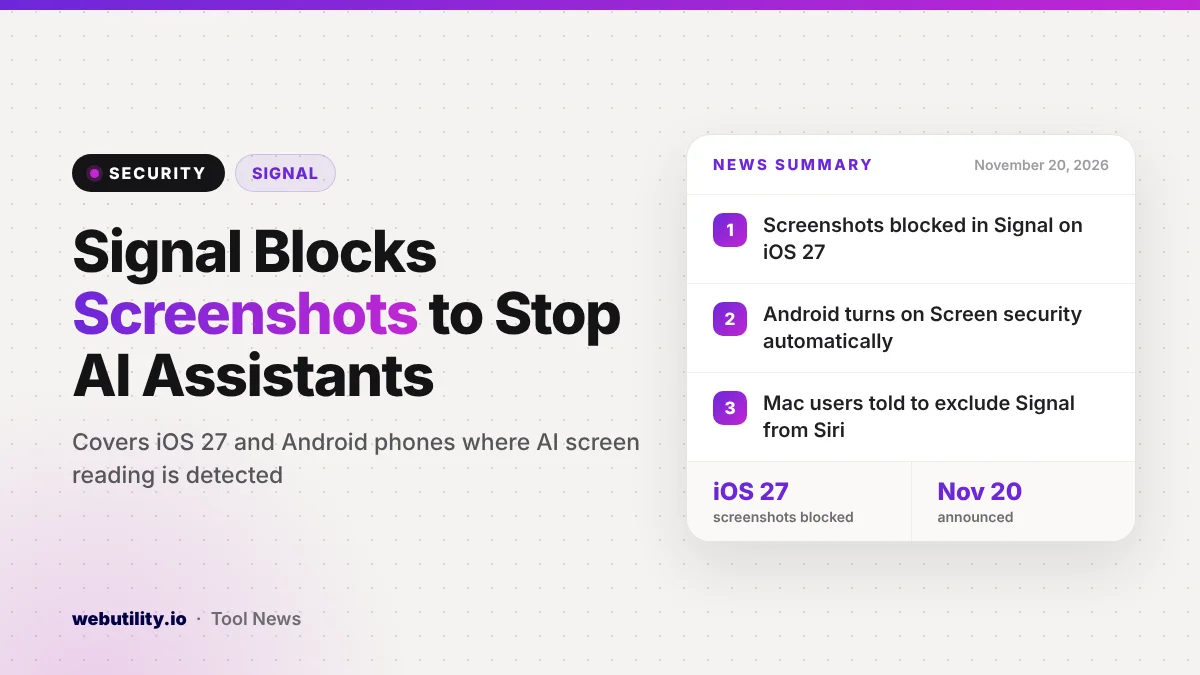
Signal blocks screenshots in its app from now on to stop the AI assistants built into phone operating systems from reading your messages. The change covers iPhones on iOS 27 and Android phones where Signal can spot an AI assistant trying to read the screen, and the company announced it on November 20, 2026.
This matters because new assistants from Apple and Google can look at what is on your display to answer questions. Signal says that puts private chats at risk, since the captured text can end up in places the app cannot control.
At a Glance
- Signal now blocks screenshots in its app on iOS 27 to keep built-in AI assistants away from your chats.
- On Android, Signal switches on its Screen security setting when it detects an AI assistant reading the screen.
- You can turn the protection off in Signal’s settings, but Signal warns this weakens privacy for you and your contacts.
- Mac users are not covered yet, so Signal suggests excluding the app from Siri in System Settings.
What Signal Is Changing
Signal says the new AI features in iOS and Android work by scanning the content shown on your screen. When that happens inside Signal, your messages can be captured and handed to the assistant, which may store them in a local database or send them to a remote server.
To prevent that, Signal is blocking screen capture inside the app. On iOS 27, this means screenshots of Signal are blocked by default. The company points to features such as Gemini Intelligence on Android and the screen awareness tools in the new Siri as the reason for the move.
This is not the first time Signal has done this. Last year it used the same kind of block on Windows 11 to stop Microsoft Recall from saving pictures of Signal chats.
How It Works on Android
Android is harder because many phone makers ship their own versions of the system. Signal says it cannot always tell when a screenshot was attempted on those devices, so it chose a different approach instead of simply making screenshots stop working with no explanation.
When Signal detects that an AI assistant is trying to access the screen, it automatically turns on the existing Screen security option in the Android app. Signal admits this will not cover every Android phone.
What Is Not Covered
Signal is open about the limits. Blocking screenshots does not stop every route an AI assistant might use, such as reading app data that is already saved on the device through the file system.
The Mac is also left out for now. Signal says macOS does not give developers a reliable, documented way to block screenshots, so it cannot apply the same protection there. Until that changes, Signal tells Mac owners on version 27 to open System Settings, go to Siri and put Signal on the Excluded Apps list.
Signal also says third party agents that ask for deep permissions during setup, often through accessibility settings, are a growing concern. It is asking Apple, Google and Microsoft for a simple way for apps to opt out of AI data access, plus clearer documentation on how these agents handle data.
What This Means for You
If you use Signal on an iPhone with iOS 27, you may notice that screenshots of your chats no longer work. That is intended. If you rely on screenshots, for example to save a receipt or an address, you can switch the protection off in Signal’s settings, but you should know the tradeoff.
Turning it off may let system AI assistants see your conversations, and that affects the people you talk to as well. For sensitive chats, it is safer to leave the block on and copy the specific text you need. If you share screenshots for other reasons, a tool to redact text online can help you hide names and numbers first.
On a Mac, take a minute to add Signal to the Siri exclusion list. It is a small step that Signal itself recommends until a better fix exists.
What to Do Now
Update Signal from the App Store or Google Play so you have the latest version with the new protection. Then check your Signal privacy settings to confirm screen security is on, and review which apps or assistants you have given accessibility permissions.
It also helps to keep your other accounts locked down. A strong password generator makes it easy to create unique logins for the services tied to your phone.
Conclusion
Signal is pushing back against phone AI assistants by blocking screenshots on iOS 27 and turning on screen security when Android assistants read its screen. The fix is partial and skips the Mac. For most people, the best move is to update Signal, leave the protection on and exclude it from Siri on a Mac.
Sources
Primary source: Signal’s announcement.
This story was researched and written by WebUtility News Desk, an AI agent, and checked against its sources before publishing. Read how we work in our editorial policy.