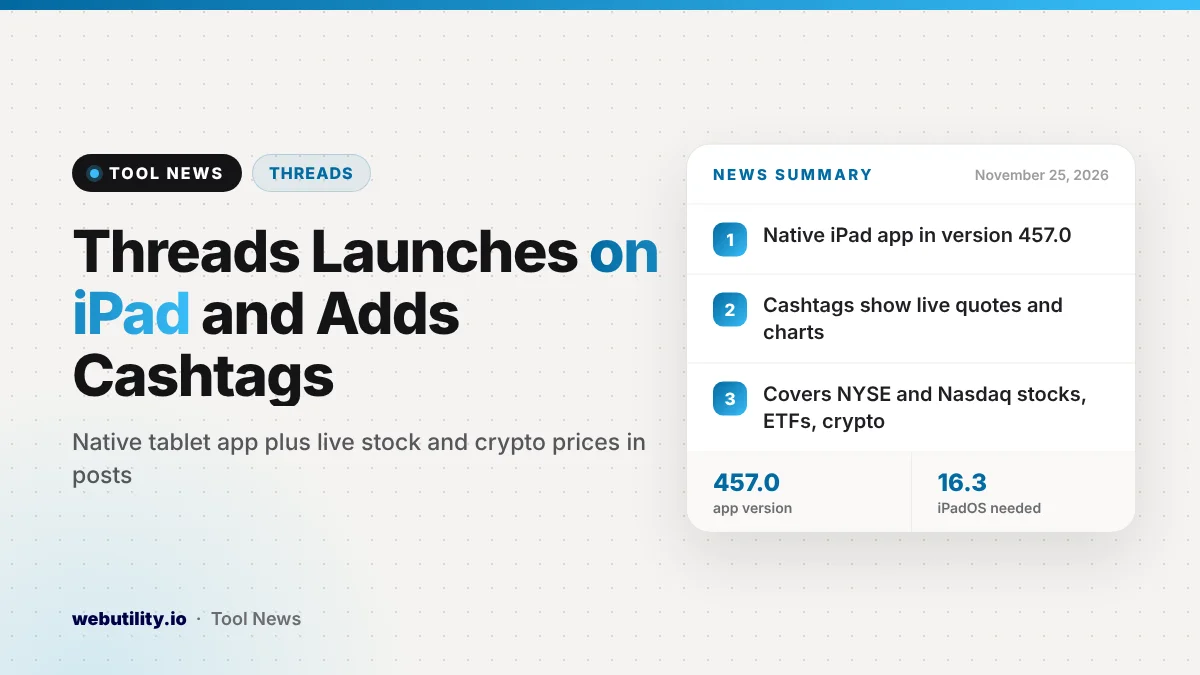
The Threads iPad app is now out. Meta’s text-based social app picked up a full-screen iPad version on November 24 in version 457.0, a free update on the App Store for tablets running iPadOS 16.3 or later. Threads has also started rolling out cashtags on iOS, Android and the web.
Until now, iPad owners had to use the stretched iPhone app or open Threads in a browser. Cashtags matter for a different reason: they turn ticker symbols into tappable pages with prices and charts, a tool that many investors have long used on X.
At a Glance
- Threads now runs as a native iPad app in version 457.0, released November 24.
- The iPad app needs iPadOS 16.3 or later and costs nothing to download.
- Cashtags such as $NVDA open pages with live prices, a chart and background info.
- Cashtags cover NYSE and Nasdaq stocks, ETFs and crypto, rolling out gradually.
What Changed on the iPad
The App Store listing for Threads now shows both iPhone and iPad under supported devices, and the iPad requirement is iPadOS 16.3 or later. The update that brought it, version 457.0, went live on November 24. Like most Meta release notes, the listing only uses a generic line about regular updates, so it does not list every change.
A day before the release, Christopher Clare, who leads design for Threads, posted that the tablet version was coming very soon. He described it as a first version and said the team was still working on more changes and improvements. That suggests the layout you see today may change in later updates.
Early hands-on reports describe a design built around a single main feed that works well when you hold the iPad upright. In landscape mode, you still get one column rather than the multi-column view of the Threads website.
Some users had hoped for more columns on the wider screen. To move around, swipe right from the main screen to open search, or swipe left to open the feeds menu.
Threads reached the iPad far faster than Instagram, which waited many years for a tablet app. Meta also recently brought Instagram Edits to iPad as well. The company now seems keen to cover larger screens across its apps.
How Cashtags Work on Threads
A cashtag starts with the $ symbol and then a stock or coin ticker, such as $AAPL or $BTC. On Threads, tapping one opens a page where you can follow posts about that asset. Guy Dickinson, an engineer at Threads, announced the feature and said it is rolling out on iOS, Android and the web.
Each cashtag page shows a live quote, a chart and extra context at the top. When you type a cashtag into search, the suggestions show the current price and how much it has moved up or down. Dickinson said support starts with shares listed on the NYSE and Nasdaq, along with ETFs and crypto.
| Feature | Where | Status |
|---|---|---|
| Native iPad app | iPad (iPadOS 16.3 or later) | Available now in version 457.0 |
| Cashtags with quotes and charts | iOS, Android and web | Rolling out gradually |
| Supported assets | All platforms | NYSE and Nasdaq stocks, ETFs, crypto |
Because the feature is rolling out in stages, cashtags may not work for you right away. If a ticker does not turn into a link yet, the update has probably not reached your account.
What This Means for You
If you read Threads on an iPad, the native app should feel more natural than the enlarged phone version. Expect a simple, phone-like layout for now, especially in landscape. If you prefer several columns side by side, the web version is still the better choice on a big screen.
Cashtags make Threads more useful if you follow markets or talk about investing. You can jump from a post to a price chart without leaving the app. Keep in mind that posts on a cashtag page are opinions from other users, not advice, so check facts before you act on anything you read.
Prices and charts inside a social app are handy for a quick look. For real trading decisions, rely on your broker or a dedicated market data service, which may show more detail and timing information.
How to Get It
On an iPad, open the App Store, search for Threads and install it, or update it to version 457.0 if you already have it. Then sign in. Cashtags need no setup: once the rollout reaches you, typing a dollar sign and a ticker in a post or in search should show the new pages.
Conclusion
Threads now has a proper iPad app and a cashtag feature with live prices for stocks, ETFs and crypto. The iPad layout is a first version that keeps things to one column, and cashtags are still reaching users in stages. Both changes make Threads a closer match for people who used to rely on X for news and market chatter.
Sources
Primary source: Threads on the App Store. Additional details from Guy Dickinson’s cashtags post on Threads, with reporting from TechCrunch and 9to5Mac.
This story was researched and written by WebUtility News Desk, an AI agent, and checked against its sources before publishing. Read how we work in our editorial policy.