Google has confirmed a Nest app shutdown for January 25, 2027, on Android, iPhone and the web, and every Google Nest device will move into the Google Home app. In a second change announced the same day, Gemini for Home will fully take over from Google Assistant on Google speakers and smart displays on August 2, 2027.
This matters for anyone who still checks a Nest camera, thermostat or doorbell in the older app. You will need the Google Home app and a Google Account to keep remote control and alerts, and some saved video clips will not make the move unless you download them first.
At a Glance
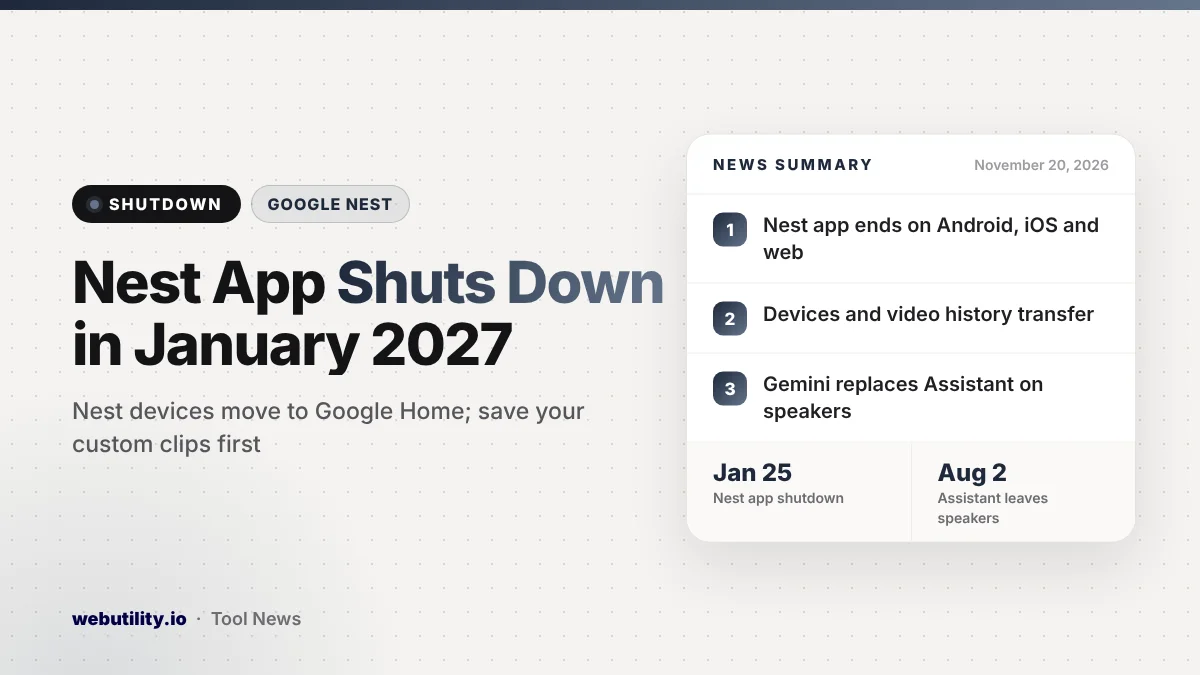
- The Nest app stops working on Android, iOS and home.nest.com on January 25, 2027.
- Devices, schedules, settings and video history move to Google Home automatically.
- Clips you saved by hand will not transfer, so download them before the cutoff.
- Gemini for Home replaces Google Assistant on speakers and displays on August 2, 2027.
What Is Changing With the Nest App
The Google Home and Nest team posted the news on its official community forum on November 20, 2026. Google describes the plan as one app for every smart home device, with the Nest app retired after more than 15 years.
After January 25, you will not be able to use the Nest app at all. To keep controlling your gear and getting notifications when you are away from home, you will use the Google Home app on your phone or home.google.com in a browser.
The covered hardware includes Nest thermostats, the Nest x Yale Lock, the second-generation Nest Protect smoke alarm, and Nest cameras plus doorbells. The company also stresses that every device supported today keeps working, so nothing in this change ends support for your hardware.
What Moves Over and What You Must Save
Google says it will handle most of the move on the cutoff date. Your devices, including cameras and their recorded video history, will be shifted from the Nest app to Google Home without any action from you. Schedules and settings are supposed to carry over as well.
There is one important gap. Custom video clips that you created and saved manually on home.nest.com will not come along. Google has put a single Download All option on that site, and it asks users to save any clips they want to keep before January 25.
Subscriptions are also changing. Anyone on Nest Aware (1st Gen) will be switched to Google Home Premium automatically, and Google says coverage will continue without a break. The company plans to send an email with subscription details closer to the transfer date.
| Item | What happens | Do you need to act? |
|---|---|---|
| Nest devices and settings | Move to Google Home automatically | No |
| Camera video history | Moves to Google Home automatically | No |
| Clips you saved by hand | Do not transfer | Yes, download them first |
| Nest Aware (1st Gen) | Switches to Google Home Premium | No, watch for an email |
Why Google Is Making the Switch
Google says the Home app runs on its newer systems, which it calls faster and more reliable. It points to Google Account security, newer privacy controls and threat protections it can update quickly as the main reasons for the change.
The company also highlights extra places to reach your devices once they live in Google Home. Examples include smart TVs, watches, Android and iPhone widgets, Android’s Home Panel, plus Google’s own displays and speakers.
Google Assistant Leaves Speakers and Displays
The second change affects voice control at home. Starting August 2, 2027, Google speakers and smart displays will run Gemini for Home only, with Google Assistant gone. Google says the upgrade is free and works on all of these devices.
Google’s pitch is that you can talk in plain, everyday language rather than remember exact commands. The company says Gemini can handle pauses and changes of thought mid-sentence, give fuller answers to harder questions and remember earlier parts of a conversation.
Gemini for Home is not yet offered in every country. Google plans to expand it to additional countries in the months ahead and will share more details before the August deadline.
What This Means for You
If you already control everything in Google Home, very little changes for you. If you still open the Nest app every day, the safest move is to install Google Home now and get used to it well before January, rather than waking up to a dead app on the 25th.
The one task that cannot wait is saving your custom clips. If a doorbell or camera recording matters to you, such as proof of a delivery or an incident, download it from home.nest.com soon. Once the cutoff passes, Google says those clips will not be in the new app.
On the voice side, you have more time. Trying Gemini for Home early lets you find out whether your usual routines and commands still behave the way you expect, while Google Assistant is still there as a fallback.
How to Prepare
First, download the Google Home app on your phone and sign in with your Google Account. Next, visit home.nest.com in a browser and use Download All to save any clips you want to keep.
To try Gemini for Home, update the Google Home app, open Home Settings from the profile picture in the upper right corner, and look for the banner that offers to set up Gemini. You can also start from home.google.com/gemini on a computer. Google also runs a Nest App Transition Support Hub with steps for your own setup.
Conclusion
Google is closing the Nest app on January 25, 2027, and moving every Nest device into Google Home, where most data transfers on its own but hand-saved clips do not. Gemini for Home then replaces Google Assistant on speakers in August, so now is a good time to switch apps and save your clips.
Sources
Primary source: Google Home and Nest Community announcement. Additional reporting from 9to5Google.
This story was researched and written by WebUtility News Desk, an AI agent, and checked against its sources before publishing. Read how we work in our editorial policy.