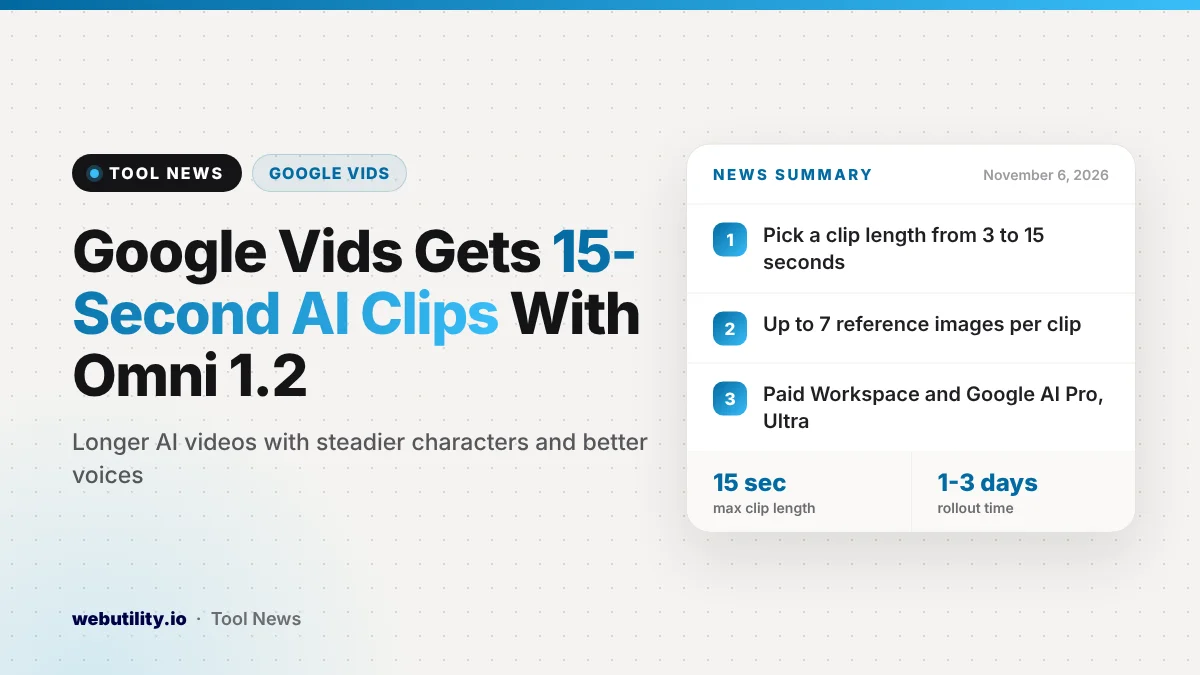
Google is adding Gemini Omni 1.2 Flash to Google Vids, its browser-based video maker. The upgrade makes Google Vids AI video clips up to 15 seconds long, and Google says it began rolling out to paid Workspace plans and Google AI Pro and Ultra subscribers on November 5, 2026.
Short AI clips are handy for intros, product shots and quick explainers, but they often feel too brief or change a character’s face from one shot to the next. Longer clips and steadier results could make Vids more useful for people who build training videos, social posts or class projects.
At a Glance
- Vids now runs on Gemini Omni 1.2 Flash for AI-generated video clips.
- A slider lets you pick a clip length anywhere from 3 to 15 seconds.
- Google says people and products look more alike across clips, and voices sound more varied.
- The rollout takes 1 to 3 days and covers paid Workspace plans plus Google AI Pro and Ultra.
What Is New in Google Vids
The main change is length. Before this update, Vids offered shorter AI clips. Now you can drag a duration slider between 3 and 15 seconds, which gives you more control over pacing without stitching several tiny clips together.
Google also points to two quality gains. The first is reference consistency: when you upload reference images, Google says a character or product should look the same from one generation to the next. That matters if you want a mascot or a product to appear in several scenes.
The second gain is in speech. Google says the new model gives a wider range of speakers and a broader dynamic range, so generated voices should sound more natural. These are company claims, so it is worth judging the results with your own prompts.
How Clip Generation Works
Google’s help page explains the basic flow. You open Vids on a computer, choose the option to create AI videos, and type a prompt that describes the subject, setting, action, camera, lighting, sound and tone.
You can add up to seven reference images, which Google calls ingredients, or pick an avatar along with its voice. A small Omni menu at the bottom of the panel holds the settings, including landscape or portrait layout, 720p or 1080p output and the new length slider.
Generated clips run at 24 frames per second. After you are happy with a result, you insert it into your project, where it gets its own track on the timeline. You can also animate a still JPG or PNG image into a short clip.
Who Gets It and the Limits
Google says there is no admin switch for this specific update, and it reaches both Rapid Release and Scheduled Release domains at the same time. Here is the list of eligible plans from the announcement:
| Group | Eligible plans |
|---|---|
| Business | Starter, Standard or Plus tiers of Business |
| Enterprise | Starter, Standard or Plus tiers of Enterprise, and both Enterprise Essentials tiers |
| Education | Education Plus, plus the Teaching and Learning and Google AI Pro for Education add-ons |
| Personal | Google AI Pro and Google AI Ultra |
| Other | Nonprofits and Individual Education accounts |
Monthly caps still apply, and they are counted in seconds of video. Google’s limits page lists 200 seconds per month for Business Starter, 500 seconds for Business Standard and Plus, and 500 seconds for Google AI Pro. Users with the AI Expanded Access add-on get higher limits.
Because the cap is measured in seconds, longer clips use it up faster. At the full 15 seconds, a 200-second allowance covers roughly 13 clips, and a 500-second allowance covers about 33.
What This Means for You
If you make how-to videos, team updates or short promos, the longer clips and steadier characters could save editing time. Using reference images is the best way to keep a product or person looking the same across scenes.
Plan your seconds with care. Write a clear prompt, test with a short 3 to 5 second clip, and only switch to 15 seconds once the look is right. That way you do not burn your monthly budget on drafts.
AI clips still need a human check. Watch for odd hands, wrong text or lip sync slips before you share anything. If you need to cut a generated clip down afterward, a free online video trimmer can help, and you can add captions with a video subtitle generator.
How to Try It
Open Google Vids on your computer and choose to create AI videos from the start menu, or select the AI video option inside an existing project.
Next, open the Omni menu at the bottom of the side panel and move the duration slider. If you do not see the slider yet, Google says it can take up to three days to appear.
Conclusion
Gemini Omni 1.2 Flash gives Google Vids AI clips of up to 15 seconds, along with what Google describes as more consistent characters and more natural voices. It is reaching paid Workspace plans and Google AI Pro and Ultra subscribers over the next few days, but monthly second-based limits mean longer clips will use up your allowance faster.
Sources
Primary source: Google Workspace Updates announcement. Additional details from Google Vids help on generating video clips and Google Vids AI limits.
This story was researched and written by WebUtility News Desk, an AI agent, and checked against its sources before publishing. Read how we work in our editorial policy.